How to Build a Print Shop Workflow That Actually Works
A practical way to move jobs from quote to approval, production, delivery, and payment without losing information between steps.
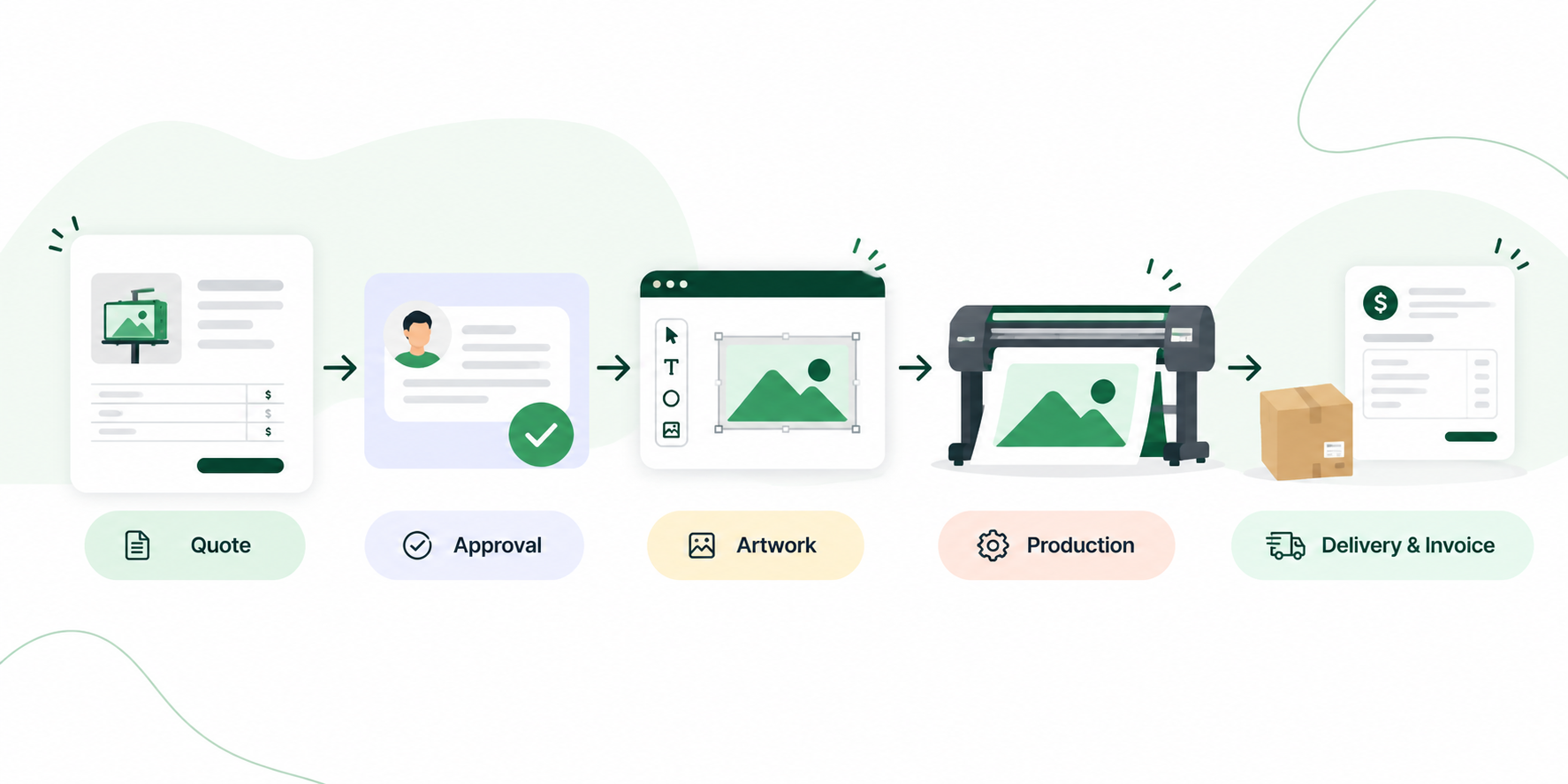
A good print shop workflow should make it obvious what happens next.
A quote comes in. The customer approves it. Artwork gets reviewed. Materials are checked. Production starts. The finished job is inspected, delivered, and invoiced.
That sounds simple until you are managing 20, 50, or 100 active jobs at different stages.
One customer is waiting for a proof. Another changed the quantity after approving the quote. A production employee needs artwork. Someone needs to order material. An invoice is still unpaid. Meanwhile, three new quote requests just arrived.
Without a clear workflow, people start managing jobs through memory, email, spreadsheets, sticky notes, and conversations across the shop. The problem is rarely that the team is not working hard enough. The problem is that the workflow does not give everyone a clear view of what needs to happen next.
Key takeaways
- Map the real path a job takes through your shop before trying to automate it.
- Keep quote details connected to the job so production does not have to rebuild information.
- Use clear job statuses so everyone can see where work is and what needs to happen next.
- Keep artwork, proof feedback, and customer approval connected to the job.
- Give production one shared view of due dates, priorities, capacity, and upcoming work.
- Connect materials and purchasing to production so missing stock does not become a last-minute surprise.
- Compare quoted and actual labor and material costs to improve future pricing.
1. Start with how a job actually moves through your shop
Do not start by trying to build the perfect system. Start with one normal job.
Take a banner, sign, vehicle graphic, screen printing order, or another product your shop produces regularly and write down every major step from the first customer request to final payment.
Your actual workflow may be different. A sign shop may need site surveys, permits, fabrication, and installation. An apparel shop may need garment sourcing, embroidery setup, or screen preparation. A wide-format print shop may need material allocation, printing, laminating, cutting, finishing, and shipping.
The goal is not to copy another shop's process. It is to make your own process visible. Once the stages are clear, you can start deciding who is responsible for each one and what information they need.
2. Keep quoting connected to the job
One of the easiest places for information to get lost is between estimating and production.
A salesperson creates a quote with the customer, product, dimensions, quantity, materials, finishing, labor, and price. The customer approves it. Then someone in production has to rebuild half of that information somewhere else.
That creates unnecessary work and increases the chance of mistakes. Your quoting process should capture enough information for the job to move forward without starting again from scratch.
For example, if a customer orders 10 printed ACM signs, production should already be able to see the quantity, dimensions, material, artwork, due date, finishing requirements, and any special instructions entered during quoting.
This is one reason connected print shop software can be more useful than managing estimates and production in separate systems. The quote should become the foundation of the job.
3. Define clear job statuses
Statuses are only useful when everyone understands what they mean. If your production board contains vague statuses such as “Open,” “Active,” and “In Progress,” employees still have to investigate each job to understand what is happening.
Use statuses that reflect real production stages:
- Awaiting Artwork
- Proof Required
- Awaiting Customer Approval
- Ready for Production
- Printing
- Finishing
- Quality Check
- Ready for Pickup
- Installation Scheduled
- Completed
You do not need dozens of statuses. You need enough to answer two questions quickly: Where is this job right now? and What needs to happen next?
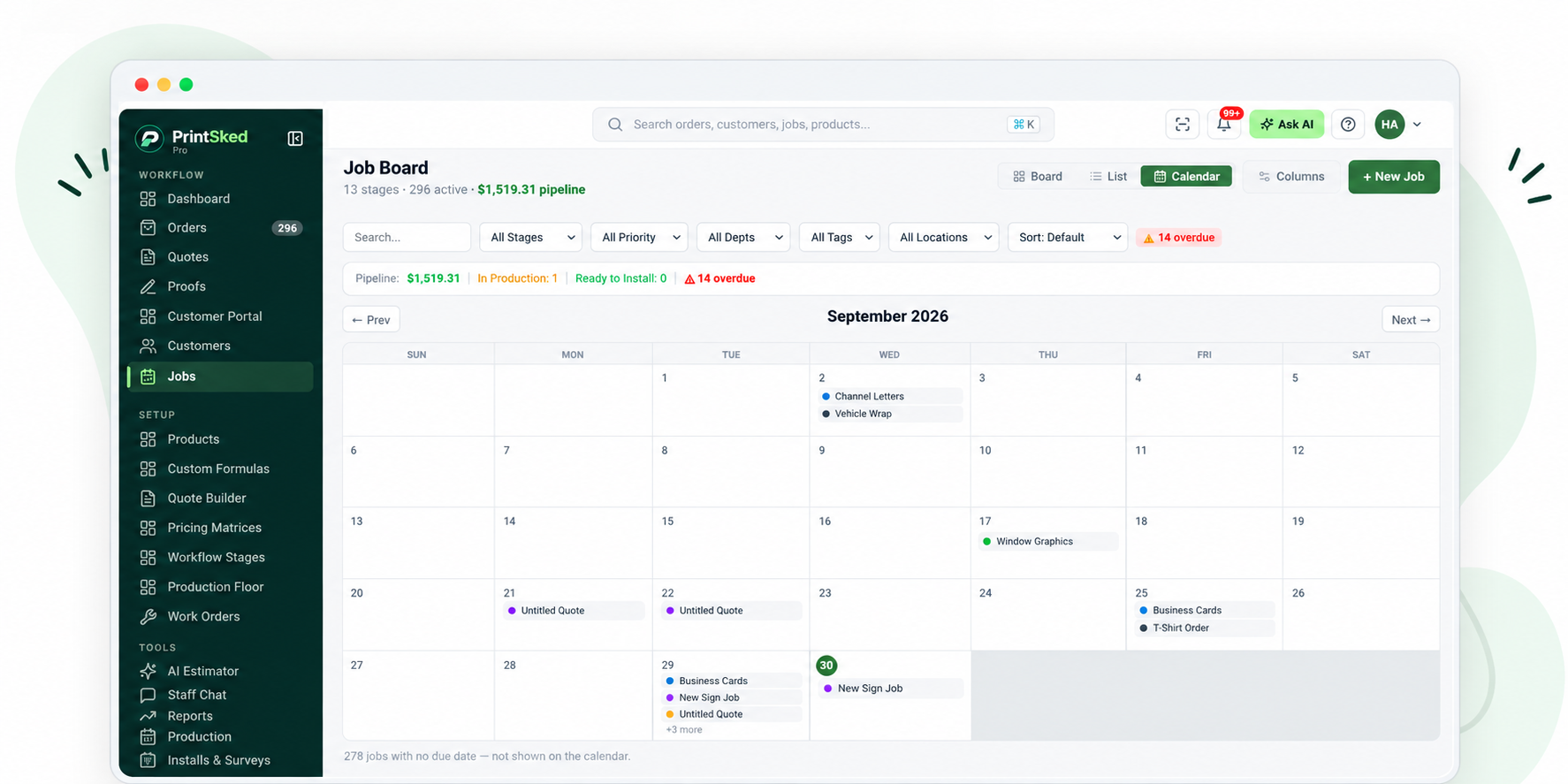
A shared job view gives the team one place to see what is scheduled, overdue, and coming next.
4. Put artwork and proof approval inside the workflow
Artwork is another common source of delays. A designer sends a proof by email. The customer replies with changes. Another proof is sent. Someone receives approval but forgets to tell production.
Now the production team either waits unnecessarily or starts working from the wrong version.
Your print production workflow should have a clear proofing stage. The latest artwork should be attached to the job. Customer feedback should stay connected to the proof. Most importantly, the team should be able to see whether the artwork is still under review or has been approved.
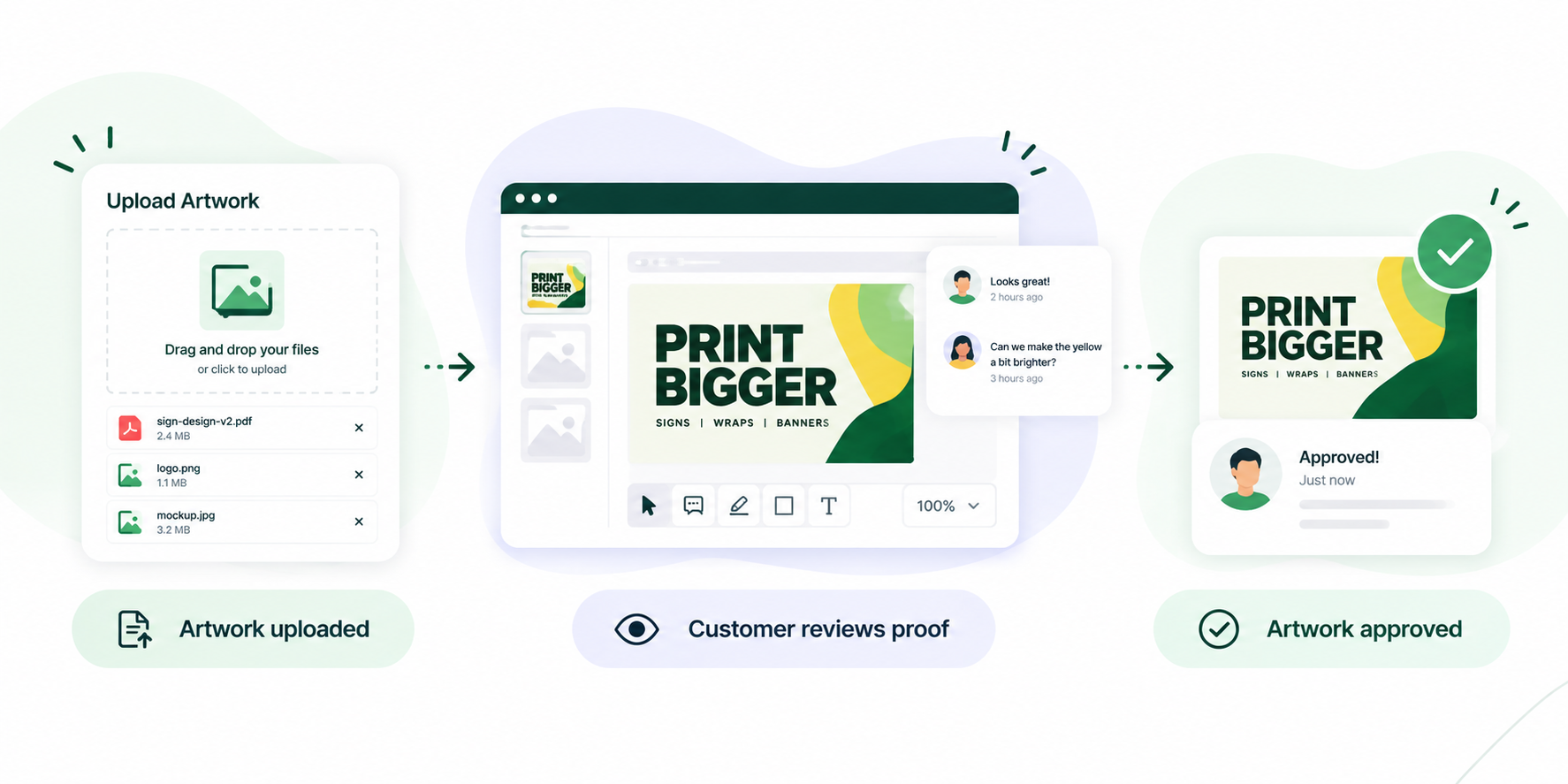
Once approval happens, the job can move into production without someone having to search through an email thread. For shops handling a high volume of custom work, a structured online proofing and customer approval process can remove a surprising amount of back-and-forth.
5. Give production one place to see what is coming
Production teams should not need to ask salespeople what needs to be produced next. They need a clear production view.
That view should show the job, customer, product, quantity, current status, due date, production due date, assigned employee or department, artwork status, priority, and special production instructions.
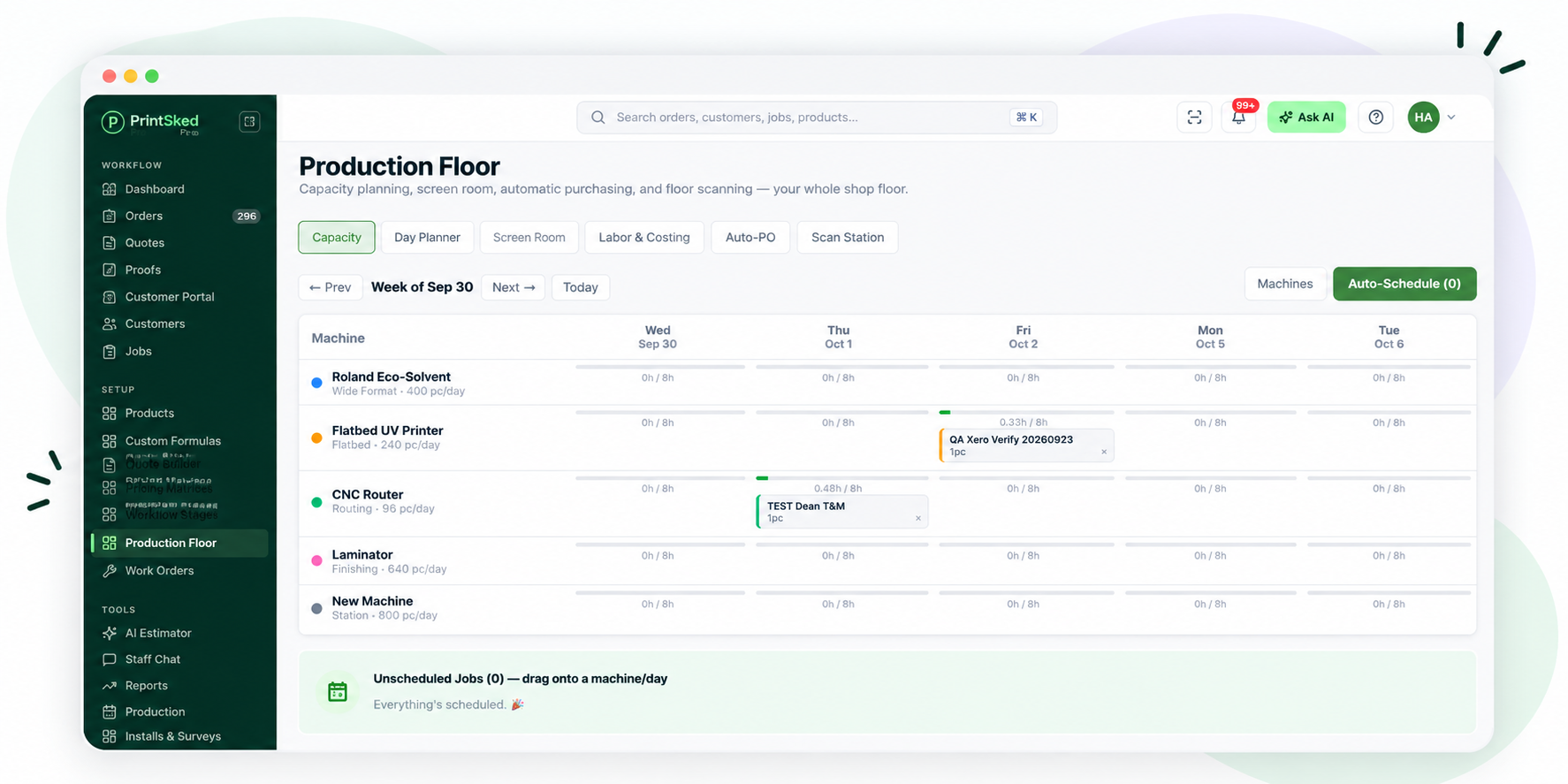
Capacity planning helps production see where jobs are scheduled and where work can move next.
A good production scheduling process also helps the shop separate urgent work from work that simply arrived first.
Due dates matter, but so do production time, available equipment, materials, installation schedules, and dependencies between departments. The goal is not to fill every minute of the production calendar. The goal is to make upcoming work visible early enough that the team can make better decisions.
6. Connect materials and purchasing to production
A job can be completely ready for production and still sit untouched because one material is missing.
That is why inventory and purchasing should be part of the workflow rather than a separate administrative process. If a job requires a specific vinyl, substrate, blank garment, ink, or other material, the team should know whether it is available before the job reaches production.
If something needs to be purchased, that requirement should be visible early. For shops working with multiple suppliers, inventory and purchase order management becomes especially important.
The ideal workflow connects the customer order, required materials, supplier, purchase order, and production job. That gives the team a clearer picture of whether a job is truly ready to produce.
7. Track what was quoted against what actually happened
Completing the job is not the end of the workflow. You also need to know whether the job performed the way you expected.
Suppose you quoted two hours of labor but production required four. Or you estimated 50 square feet of material and actually used 65. The customer may still be happy, but your margin could be very different from what you expected.
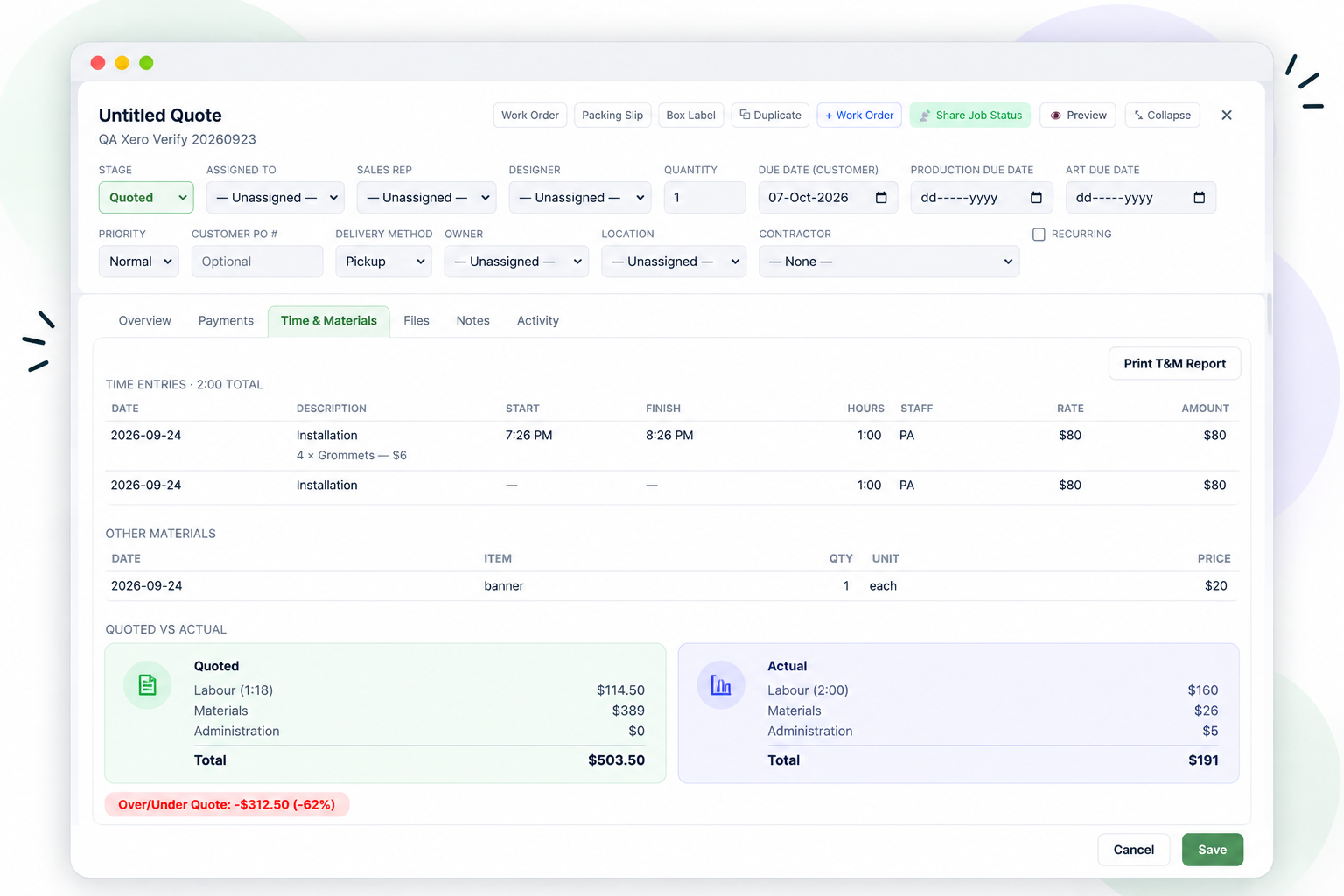
Comparing quoted and actual labor and material costs gives you better information for the next estimate.
Tracking quoted versus actual materials, labor, and production time helps you improve future pricing. Over time, this turns completed jobs into useful pricing data.
Instead of asking, “What do we normally charge for this?” you can look at what similar jobs actually cost the shop to produce.
A good print shop workflow creates visibility
The best workflow is not necessarily the one with the most automation, statuses, dashboards, or rules. It is the one your team can actually follow.
Sales should know what happened to an approved quote. Designers should know which proofs need attention. Production should know what is ready and what is blocked. Purchasing should know what needs to be ordered. Management should be able to see what is late, what is profitable, and what needs attention.
The goal is simple: fewer questions, fewer missed steps, and a clearer path from the first customer request to the finished job.
When all of that information stays connected, running the shop becomes much easier.
Bring your shop workflow into one place.
PrintSked connects quoting, approvals, jobs, production, purchasing, scheduling, and invoicing so your team can see what needs to happen next.