How to Build a Screen Printing Pricing Matrix
A practical guide to building repeatable screen printing prices using real costs, quantity breaks, ink colors, setup, labor, overhead, and target margin.
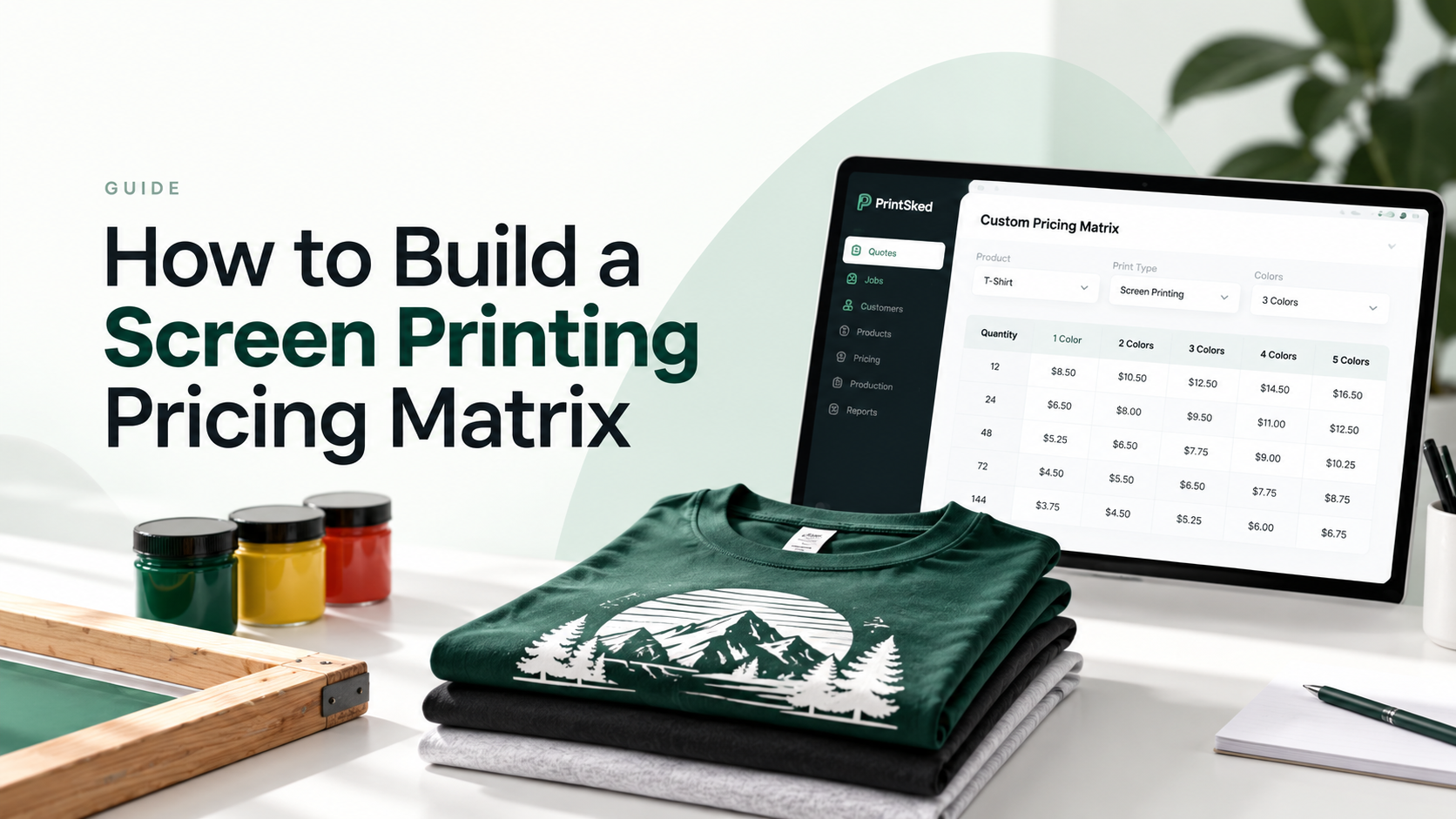
A good screen printing pricing matrix gives your team a repeatable way to price jobs without rebuilding every quote from scratch. The goal is not simply to create a table of shirt prices. A useful matrix connects garment cost, setup time, ink colors, print locations, production labor, overhead, and target margin to the quantities customers actually order.
This guide walks through that process step by step, including a practical pricing matrix example and the checks to make before using it in live quotes. If your shop handles screen printing alongside embroidery, DTF, or other decorated apparel, apparel shop software can keep pricing and production in one workflow.
Key takeaways
- Build your matrix from your own garment, setup, labor, and overhead costs.
- Use quantity breaks that reflect real production economics.
- Price additional ink colors and print locations consistently.
- Test every matrix against gross margin before using it for live quotes.
- Connect pricing directly to quoting so estimators do not have to calculate the same job repeatedly.
What is a screen printing pricing matrix?
A screen printing pricing matrix is a structured table that changes the selling price based on variables such as order quantity and number of print colors. Instead of an estimator manually calculating every job, the matrix gives the shop a consistent starting price for common combinations.
A basic matrix might use quantity breaks across the rows and ink colors across the columns. A more advanced setup can also account for garment type, print locations, specialty inks, artwork, rush service, and other add-ons.
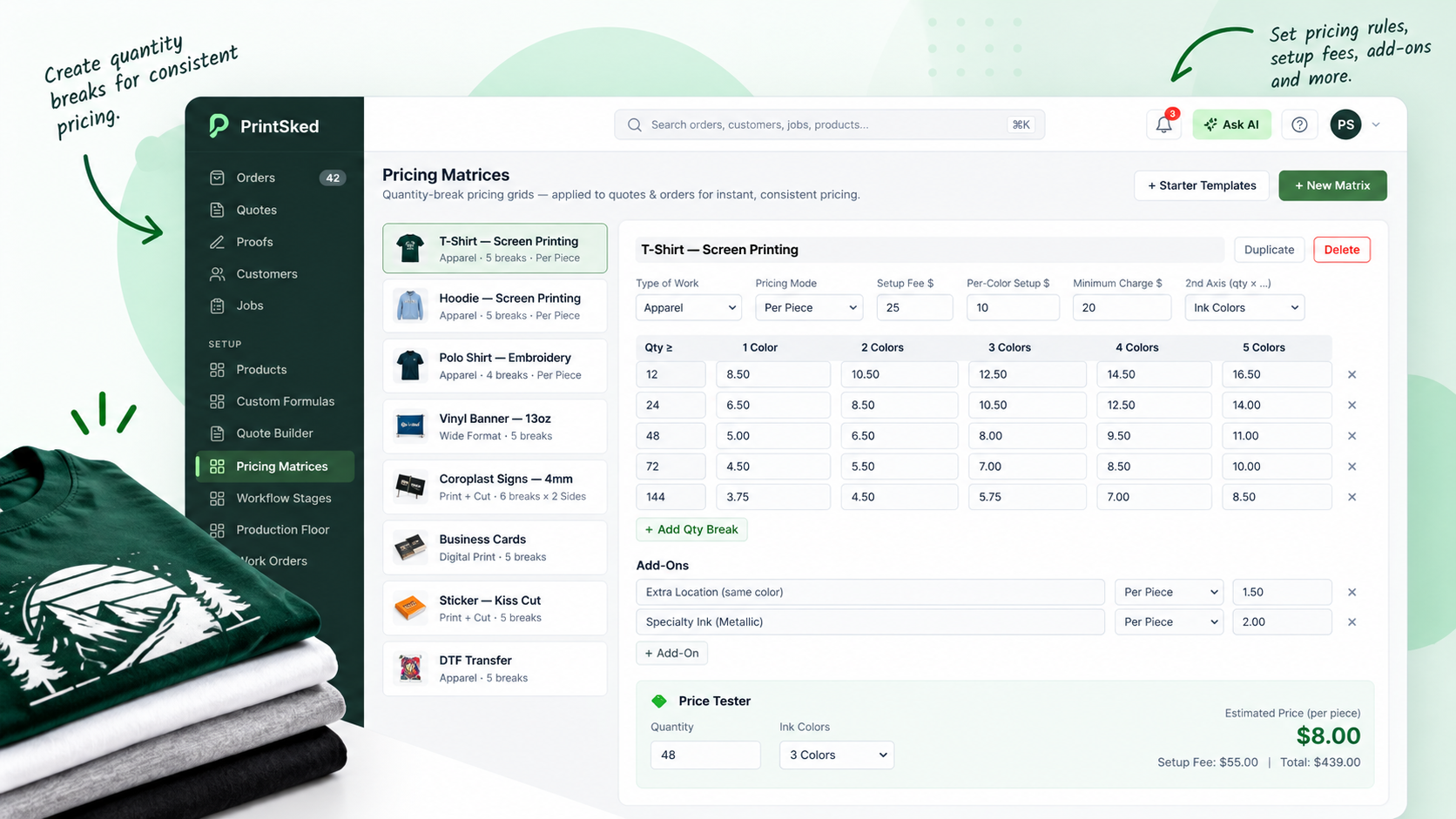
A pricing matrix gives estimators consistent prices across common quantity and print combinations.
The biggest advantage is consistency. Two estimators looking at the same job should not produce dramatically different prices because one remembered a setup charge and the other did not. PrintSked's custom pricing and formulas are designed for this type of repeatable shop pricing.
Calculate your real screen printing costs first
Do not start by copying another shop's price list. Your matrix needs to reflect your own costs and production process. Before setting selling prices, identify the costs that actually move when a screen printing job changes.
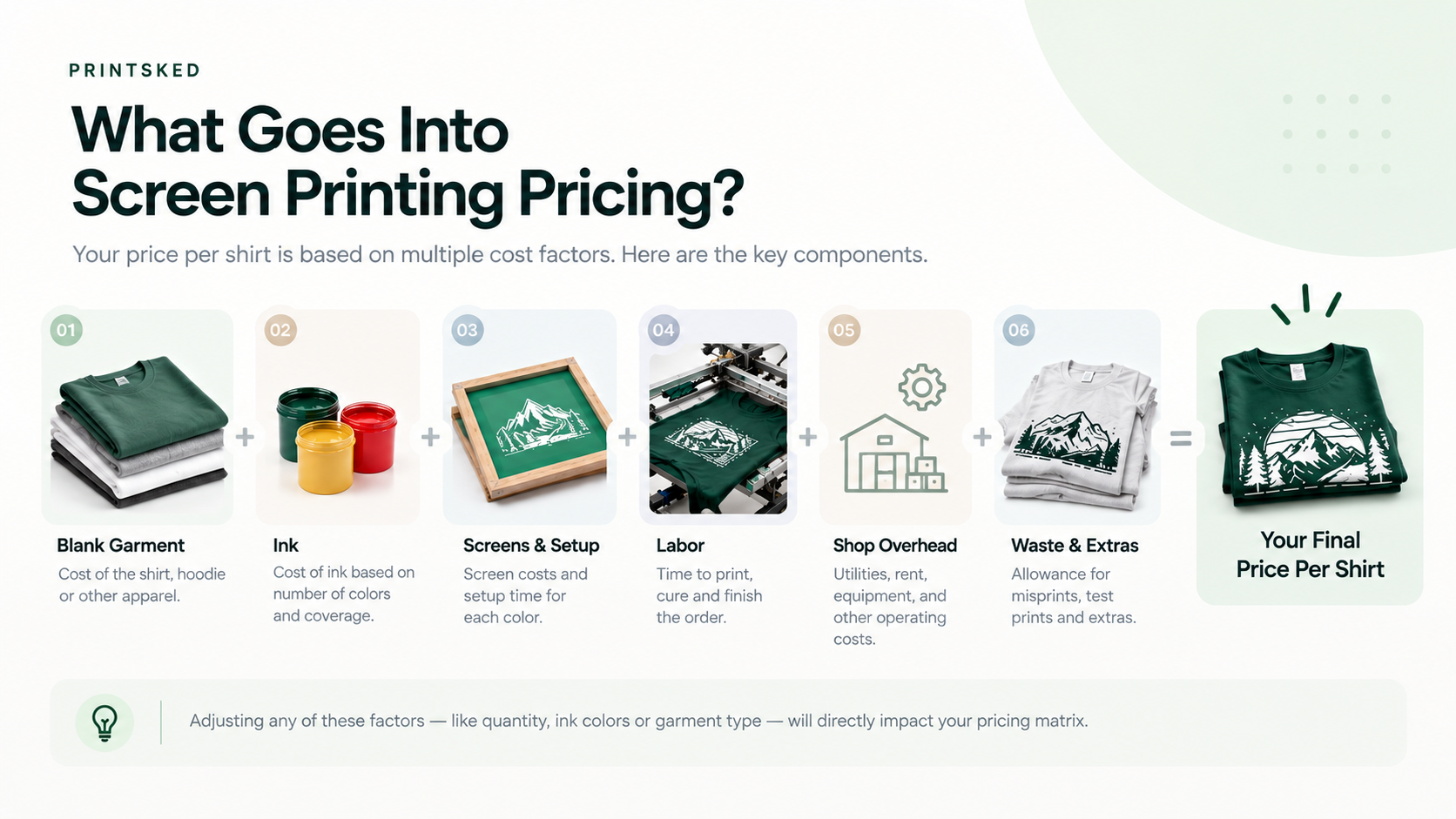
Your selling price needs to recover the costs that go into producing the job, not just the blank garment.
Blank garment cost
Start with the actual cost of the shirt, hoodie, tote, or other blank. If supplier pricing varies by color or size, decide whether your matrix will use a standard base garment and treat upgrades separately or maintain different product configurations.
Screens and setup
Screen preparation is a fixed cost that matters most on smaller orders. Include the labor and consumables involved in preparing, exposing, registering, and reclaiming screens. If each additional ink color requires another screen, your pricing should reflect that.
Ink, production labor, and overhead
Include ink and ordinary consumables, then estimate the time required to set up the press, run the order, cure garments, perform quality checks, and break down the job. Rent, software, utilities, maintenance, insurance, and non-production staff also need to be recovered through your pricing model.
Choose quantity breaks that match how your shop sells
Quantity breaks should reflect real ordering behavior and production economics. Common breaks might be 12, 24, 48, 72, 144, and 288 pieces, but there is no universal set every shop should use.
The per-piece price normally falls as quantity increases because fixed setup work is spread across more units. A 24-piece job and a 144-piece job should not carry the same setup cost per shirt.
Price additional ink colors correctly
Each additional color can add screen preparation, registration, and press time. That means color pricing should not be treated as an arbitrary surcharge.
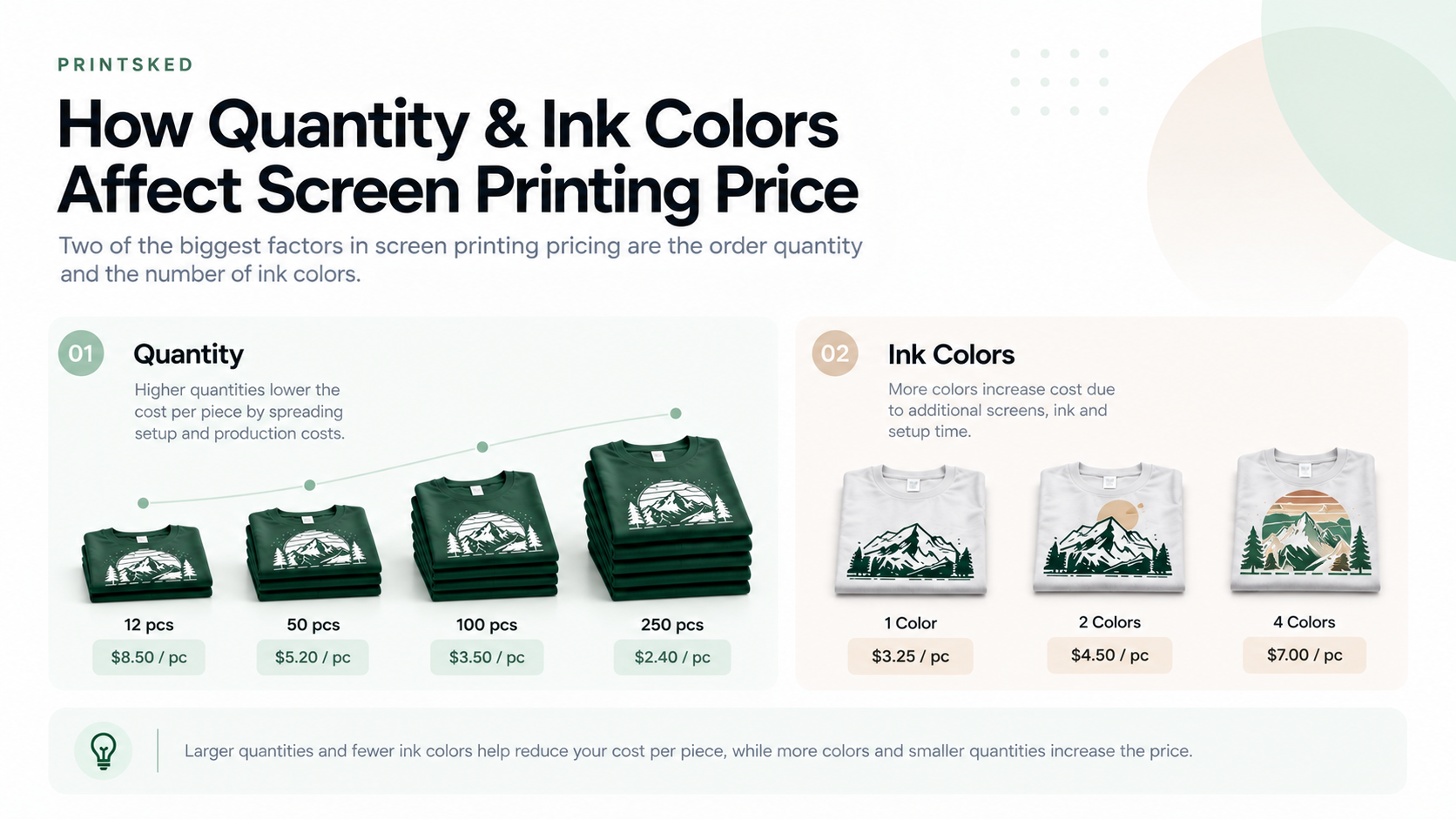
Quantity and ink colors are two of the most useful variables for a practical screen printing pricing matrix.
Your matrix can price one-color prints as the base, then increase the unit price for two, three, and four colors. The difference may shrink at higher quantities because setup is distributed across more garments while the added impressions still affect run time.
Account for multiple print locations
A front print plus a back print is not simply a larger version of one print. The second location can require additional screens, setup, handling, and press time. Sleeve prints and other placements can also affect production speed.
A clean approach is to price the primary location through the core matrix and add additional locations using defined charges or their own matrices.
Build the actual screen printing pricing matrix
Once your costs are understood, build the matrix around the variables your estimator uses most often. Keep the first version simple enough that your team can understand it.
A practical matrix can start with quantity on one axis and ink colors on the other. Each cell contains the selling price per printed piece. The garment can either be included in that price or added separately, depending on how your shop quotes.
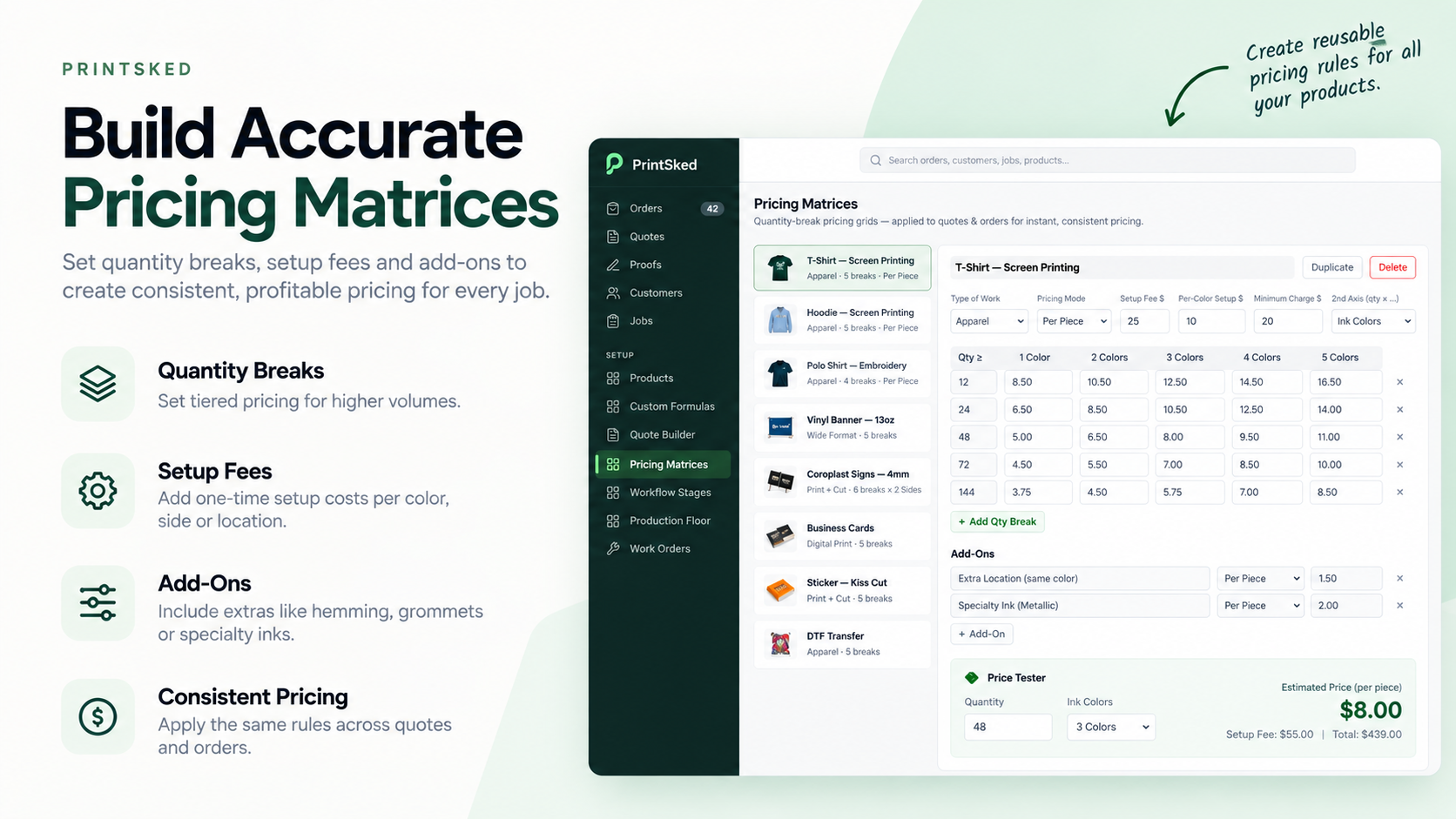
PrintSked lets shops turn repeatable pricing rules into reusable matrices for quoting.
Screen printing pricing matrix example
Assume a shop is pricing a standard cotton T-shirt with a one-location print. The numbers below are illustrative, not recommended market prices.
| Quantity | 1 Color | 2 Colors | 3 Colors | 4 Colors |
|---|---|---|---|---|
| 24 | $12.00 | $13.50 | $15.00 | $16.50 |
| 48 | $10.25 | $11.50 | $12.75 | $14.00 |
| 72 | $9.25 | $10.25 | $11.25 | $12.25 |
| 144 | $8.00 | $8.75 | $9.50 | $10.25 |
The exact numbers matter less than the logic behind them. Every cell should cover the relevant garment, setup, production, and overhead costs while leaving enough gross profit for the shop.
Test the matrix against your target margin
A matrix can look neat and still lose money. Before rolling it out, test representative jobs at each quantity and color combination. Calculate expected revenue, direct cost, and gross profit, then check the margin.
Remember: markup and margin are not the same thing. If a job costs $600 and sells for $1,000, gross profit is $400 and gross margin is 40%.
Use PrintSked's print shop profit calculator when you want to quickly test cost, selling price, and profit assumptions.
Add setup, artwork, rush, and specialty charges
Not every charge belongs inside the base per-piece matrix. Typical additions can include artwork or vector cleanup, rush production, specialty ink, oversized prints, difficult garment locations, individual bagging, folding, relabeling, and shipping. Define when each charge applies so estimators do not rely on memory.
Turn the matrix into a faster quoting workflow
The matrix becomes more valuable when it feeds directly into quoting. Instead of looking at a spreadsheet, copying a price, and rebuilding the job somewhere else, the estimator should be able to select the product, quantity, and options and have the correct pricing flow into the quote.
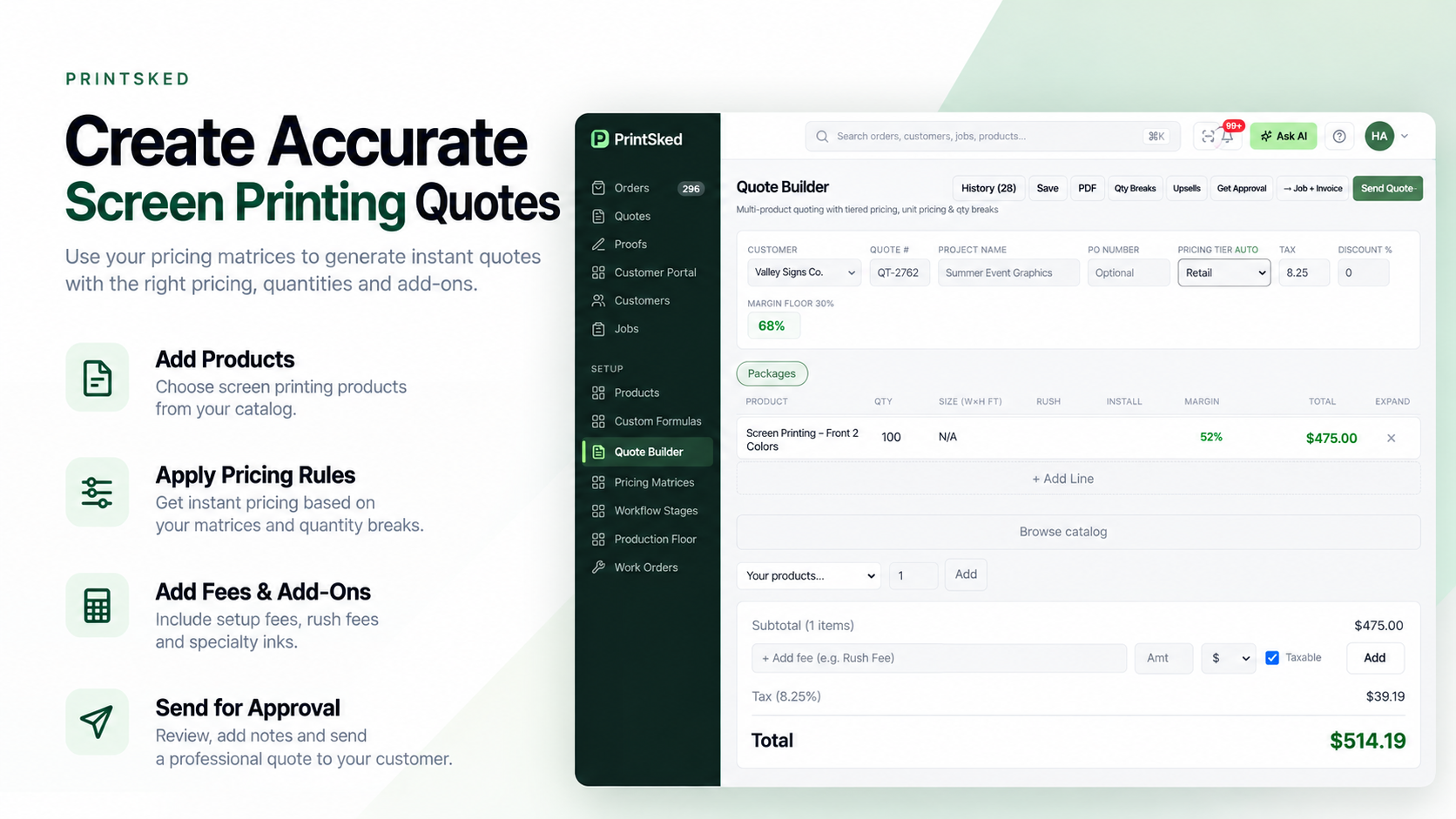
Connecting pricing matrices to quoting reduces manual calculation and keeps pricing consistent across the team.
PrintSked's quoting tools connect product pricing with customer information and the rest of the job workflow, making it easier to move an approved quote into production without re-entering the same information.
Review your pricing matrix regularly
A pricing matrix should not become a permanent price sheet that nobody questions. Garment costs, labor rates, rent, shipping, consumables, and supplier terms change. Review your core matrices on a schedule and whenever a major cost changes.
Common screen printing pricing matrix mistakes
Common problems include copying competitor prices, ignoring setup at low quantities, using one price for every garment, forgetting additional print locations, confusing markup with margin, and leaving the matrix unchanged while costs rise.
Build pricing your team can actually use
The best screen printing pricing matrix is not the most complicated one. It is the one your team can use consistently while protecting the shop's margin. Start with real costs, define meaningful quantity and color breaks, test the results, and keep refining the matrix using actual job performance.
Build screen printing prices your team can reuse.
PrintSked connects pricing matrices, quoting, jobs, and production so your team can move from estimate to finished work without rebuilding the same information.
Start free trialBook a demo