When Your Print Shop Outgrows Spreadsheets
Spreadsheets can run a small operation surprisingly well. Here is how to recognize when they are starting to slow your print shop down and what should replace them.
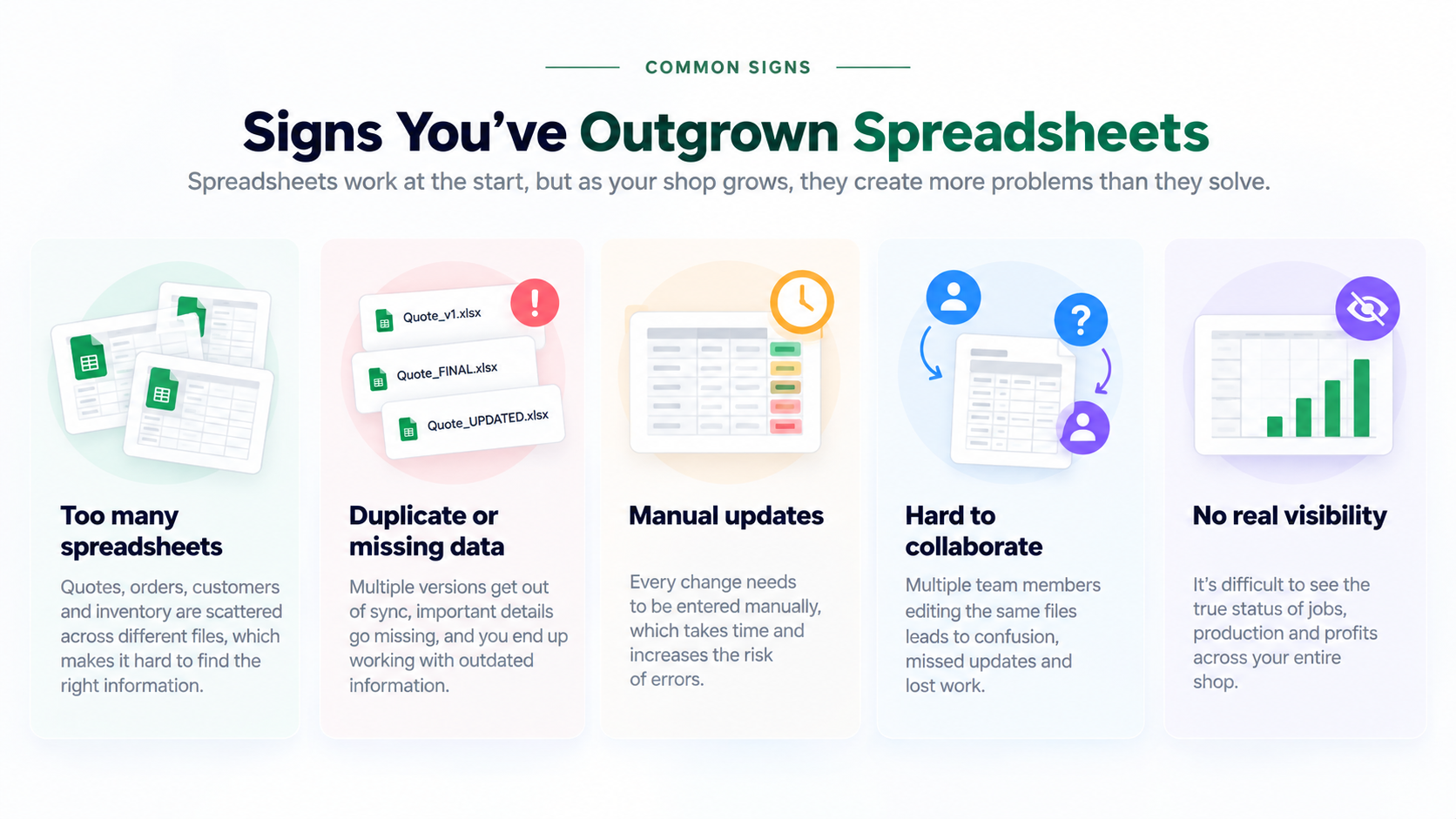
Spreadsheets are useful because they are flexible. A new print shop can track customers in one file, jobs in another, pricing in a third, and production on a shared sheet without buying specialized software.
That can work for a long time. The problem is that spreadsheets do not suddenly stop working. They become harder to trust little by little.
Someone updates the wrong version. A quote is copied into a job sheet but the latest customer change is missing. Production has its own status column. Sales keeps another list. A due date changes in one place but not another. Eventually the shop spends more time maintaining the spreadsheets than benefiting from them.
Outgrowing spreadsheets is not about reaching a certain revenue number or employee count. It happens when the work has become too connected for separate files to manage reliably.
Key takeaways
- Spreadsheets become a problem when the same information must be copied between multiple files.
- Version confusion and manual updates are signs the shop no longer has one reliable source of truth.
- Quoting, approvals, production, invoicing, and customer information become harder to coordinate as volume grows.
- The right replacement should connect the workflow, not simply recreate spreadsheets in another interface.
- Move gradually, starting with the processes creating the most duplicate work and missed updates.
1. Signs your print shop has outgrown spreadsheets
The clearest warning sign is duplicate entry. If customer details, quantities, prices, due dates, or job notes are repeatedly copied from one sheet to another, your workflow is carrying unnecessary risk.
Other signs include multiple versions of the same file, staff asking which spreadsheet is current, jobs being tracked differently by sales and production, formulas that only one person understands, approvals living in email, and reporting that requires manually combining several sheets.
The issue is rarely one spreadsheet. It is the growing number of files, handoffs, and manual updates required to keep the shop aligned.
None of these problems means spreadsheets are bad. They mean the operation now depends on relationships between information that spreadsheets were not designed to manage as a complete shop workflow.
2. Where spreadsheets start breaking down
Consider what happens after a new customer requests a quote. Customer information may be stored in a contact sheet. Pricing may come from another workbook. Approval happens over email. Production tracks the job in a schedule. Billing uses another file or accounting system.
Each step can work independently, but every handoff creates an opportunity for information to become outdated or incomplete.
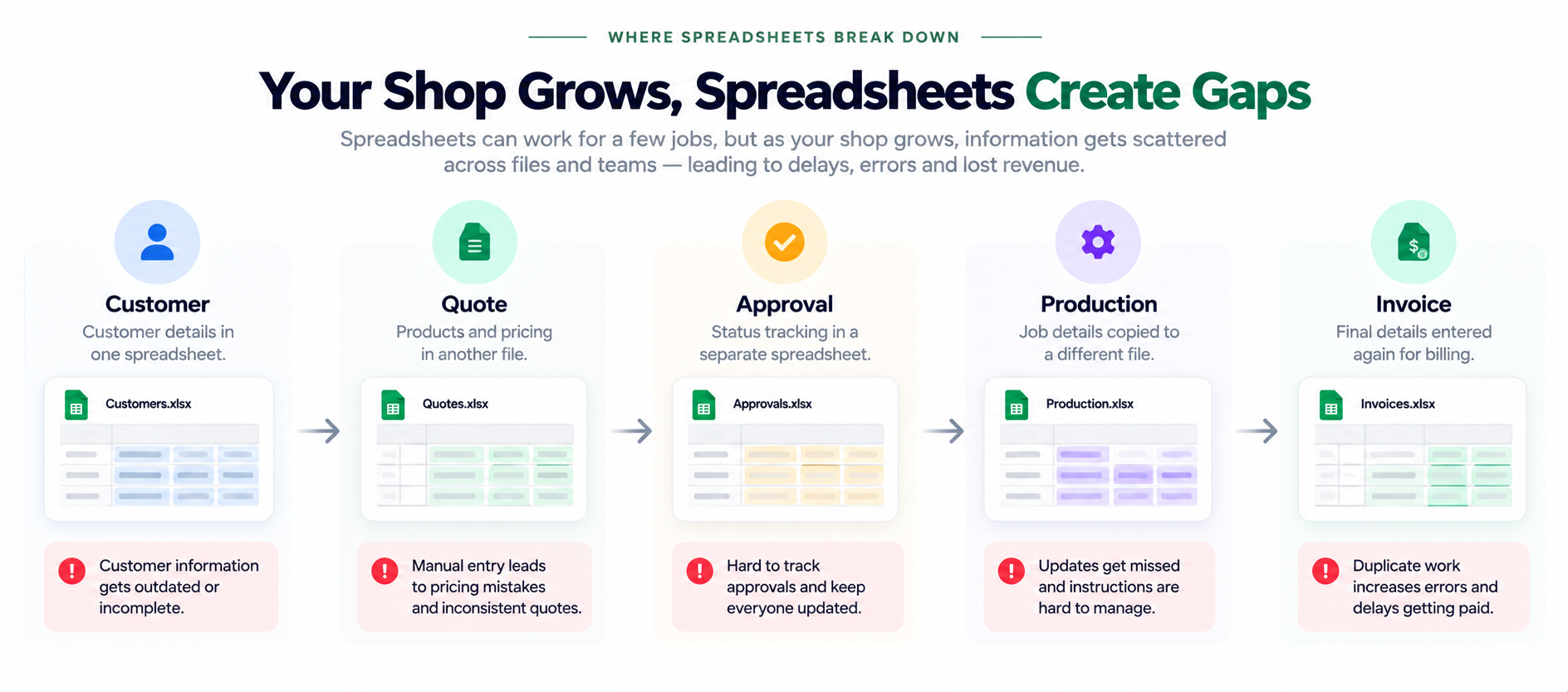
As the shop grows, separate files create gaps between customer information, quoting, approvals, production, and billing.
This becomes especially difficult when the customer changes something after the quote. The new quantity, artwork, due date, delivery method, or specification now has to reach every place that depends on it.
3. The hidden cost is not the spreadsheet
The spreadsheet itself may be free. The expensive part is the time spent keeping disconnected information synchronized.
Estimators search for the latest price. Production asks whether the proof was approved. Sales interrupts production for a status update. Managers build reports by copying numbers from several places. Someone discovers that an old version of a file was used.
These are small interruptions, but they repeat across every job. As volume increases, the shop adds more administrative work just to understand what is happening.
The real question is not “Can we still use spreadsheets?” It is “How much manual coordination is required to keep them accurate?”
4. What should replace spreadsheets?
Moving away from spreadsheets does not mean replacing one grid with another. The bigger opportunity is to connect the information that already belongs together.
A customer should connect to their quotes, jobs, invoices, proofs, and communication. An approved quote should carry its information into the job. The job should connect to production stages, due dates, work orders, materials, time, and installation. Reporting should use the same operational data instead of requiring another manual export.
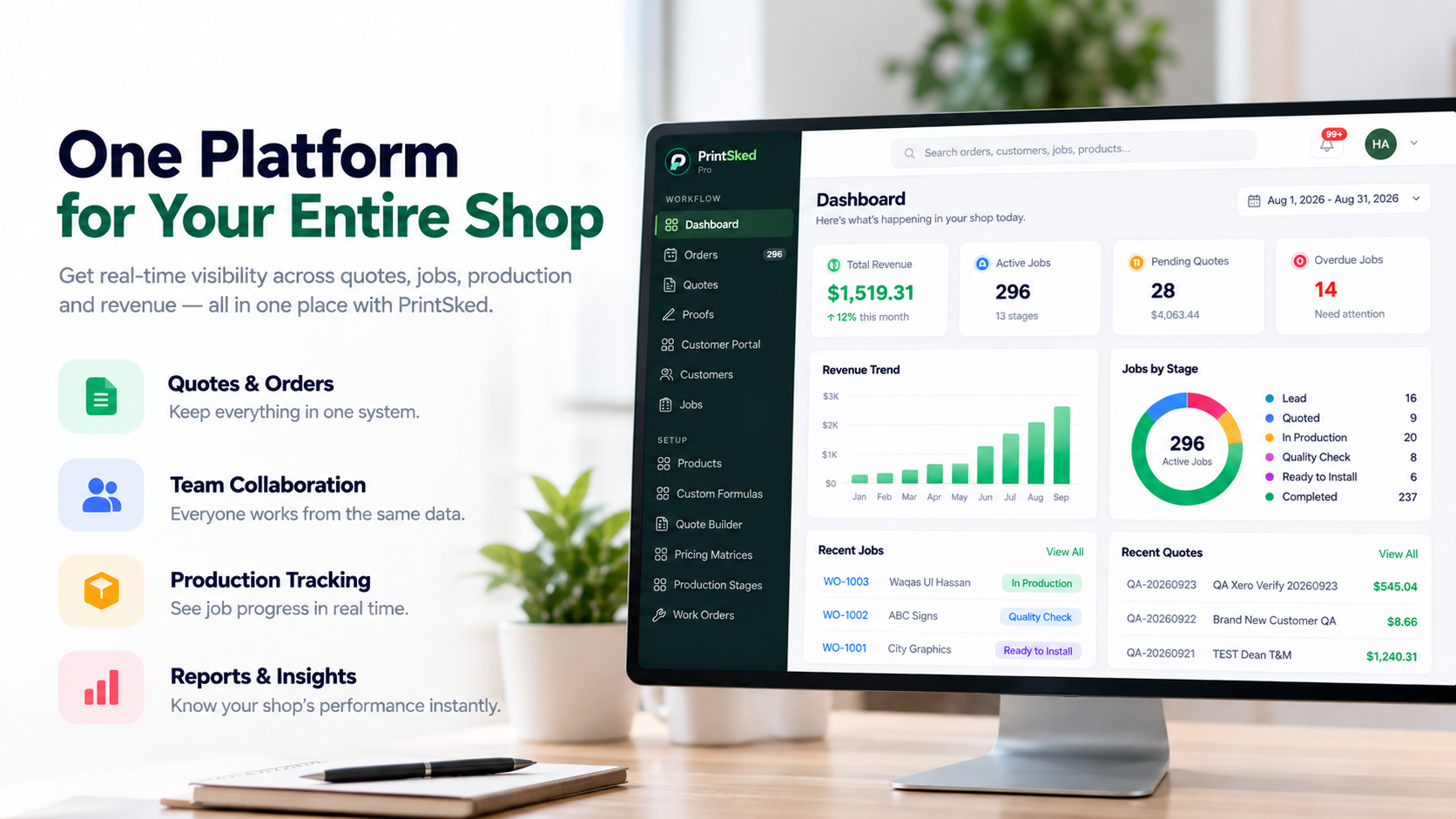
A connected shop system gives teams one operational view instead of requiring separate spreadsheets for each department.
This is the difference between storing information and managing a workflow. The value comes from the connections between records, not simply having the records online.
Look for software that matches how print work actually moves
For a print, sign, or apparel shop, useful capabilities often include customer management, quoting, pricing matrices or formulas, online approvals, job tracking, production scheduling, work orders, purchase orders, inventory, invoicing, reporting, and integrations with the tools the business already uses.
You may not need every feature immediately. What matters is whether the system can become the shared operational source as the shop grows.
5. Move gradually instead of rebuilding everything at once
The safest migration is usually not a single cutover where every spreadsheet disappears on Friday and a new system starts Monday.
Start with the process creating the most duplicate work. For many shops, that is quoting and job tracking. Standardize customer information, products, pricing, and workflow stages first. Then bring production planning, purchasing, inventory, or reporting into the same system as the team becomes comfortable.
Keep historical spreadsheets available as reference while active work moves into the new process. Avoid maintaining two active systems for longer than necessary, because that recreates the same version problem you are trying to solve.
Your shop has outgrown spreadsheets when coordination becomes the job
There is no shame in running a shop on spreadsheets. They are often the right tool early on. The transition becomes worthwhile when growth turns flexibility into fragmentation.
If your team is repeatedly copying information, checking which file is current, rebuilding reports, chasing approvals, and asking for job status, the shop is telling you something: the workflow now needs stronger connections than separate files can provide.
The next system should not make your process more complicated. It should reduce the number of places your team has to check to understand the customer, the job, and what happens next.
Bring your shop workflow into one place.
PrintSked connects customers, quotes, approvals, jobs, production, purchasing, invoicing, and reporting so your team can work from the same information.
Start free trialBook a demo