The Complete Guide to Sign Shop Management Software
What sign shop management software does, the features that matter, and how to choose a system that connects quoting, production, installs, profitability, and the rest of your shop.
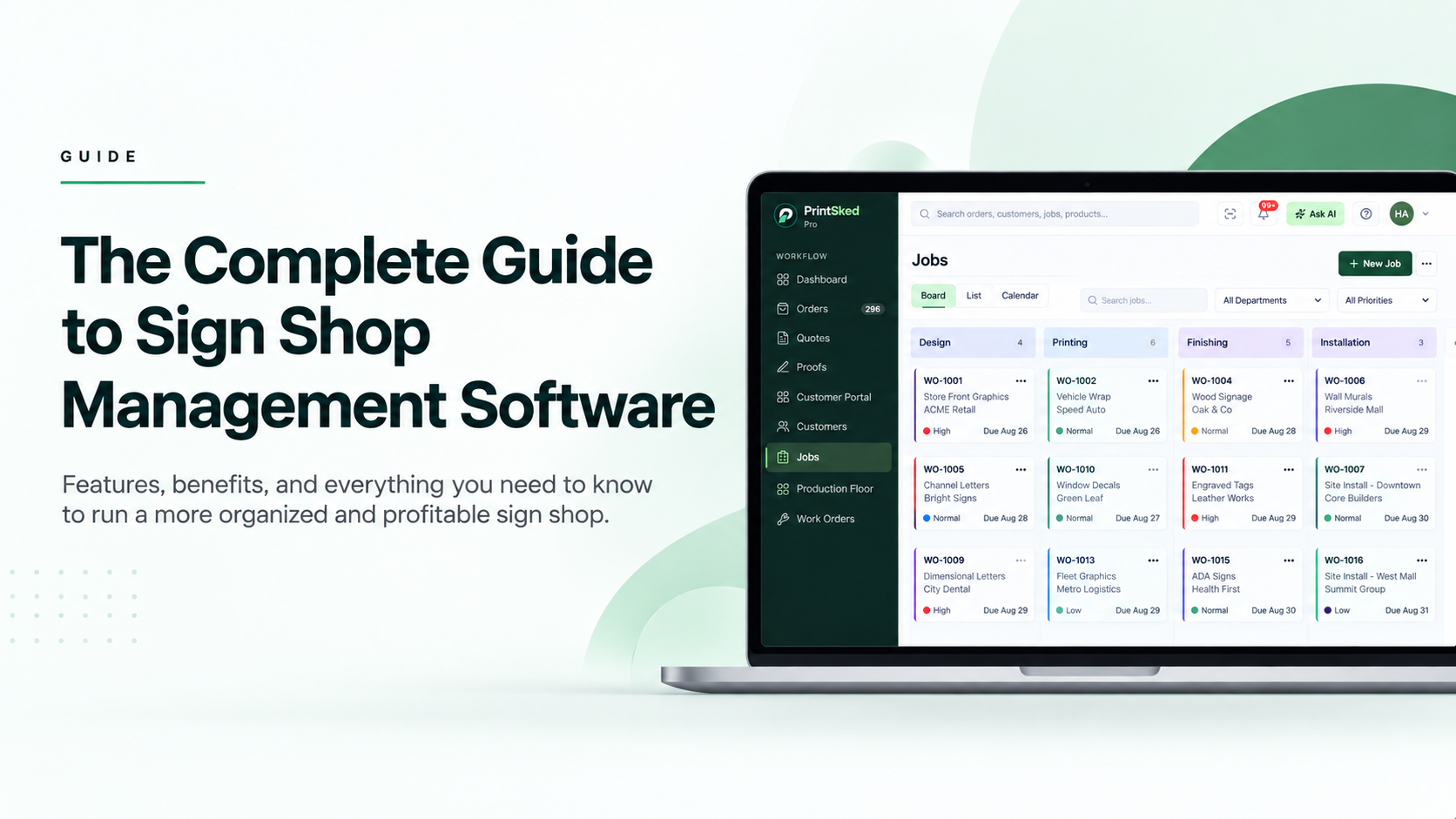
Sign shops rarely struggle because they do not have enough information. They struggle because the information needed to run the job is spread across too many places.
A customer request arrives by email. Pricing lives in a spreadsheet. The estimator creates a quote. Artwork is reviewed somewhere else. Production has its own schedule. Install details are passed to the crew. Time and materials are recorded separately, and accounting has to work out what was actually invoiced and paid.
Sign shop management software is designed to connect those pieces. Instead of treating quoting, jobs, production, proofs, purchasing, installation, and reporting as separate activities, it gives the shop one operational system for moving work from the first request through completion.
This guide explains what that software should do, which features matter most for a sign business, when it becomes useful, and what to look for before moving your team into a new platform.
Key takeaways
- Sign shop management software should connect the complete job lifecycle, not simply store customer and job records.
- Quoting, pricing, proofs, production scheduling, work orders, installs, purchasing, invoicing, and reporting should share the same job information.
- Custom workflows matter because channel letters, vehicle wraps, banners, ADA signs, and other work do not all follow the same production path.
- Visibility into quoted versus actual labor and materials helps shops understand whether jobs are genuinely profitable.
- The best system is the one your team can actually operate every day without recreating parallel spreadsheets and manual processes.
What is sign shop management software?
Sign shop management software is an operational platform built to manage the commercial and production workflow of a sign business. It typically combines customer management, estimating, quoting, job tracking, artwork approval, production scheduling, work orders, purchasing, invoicing, and reporting.
The important word is management. A generic CRM can store customer information. A calendar can hold due dates. Accounting software can create invoices. A spreadsheet can calculate prices. But none of those tools, by themselves, understand how a sign job moves through design, proof approval, printing or fabrication, finishing, installation, and final billing.
A dedicated system connects those stages so the information entered earlier in the process remains useful later.
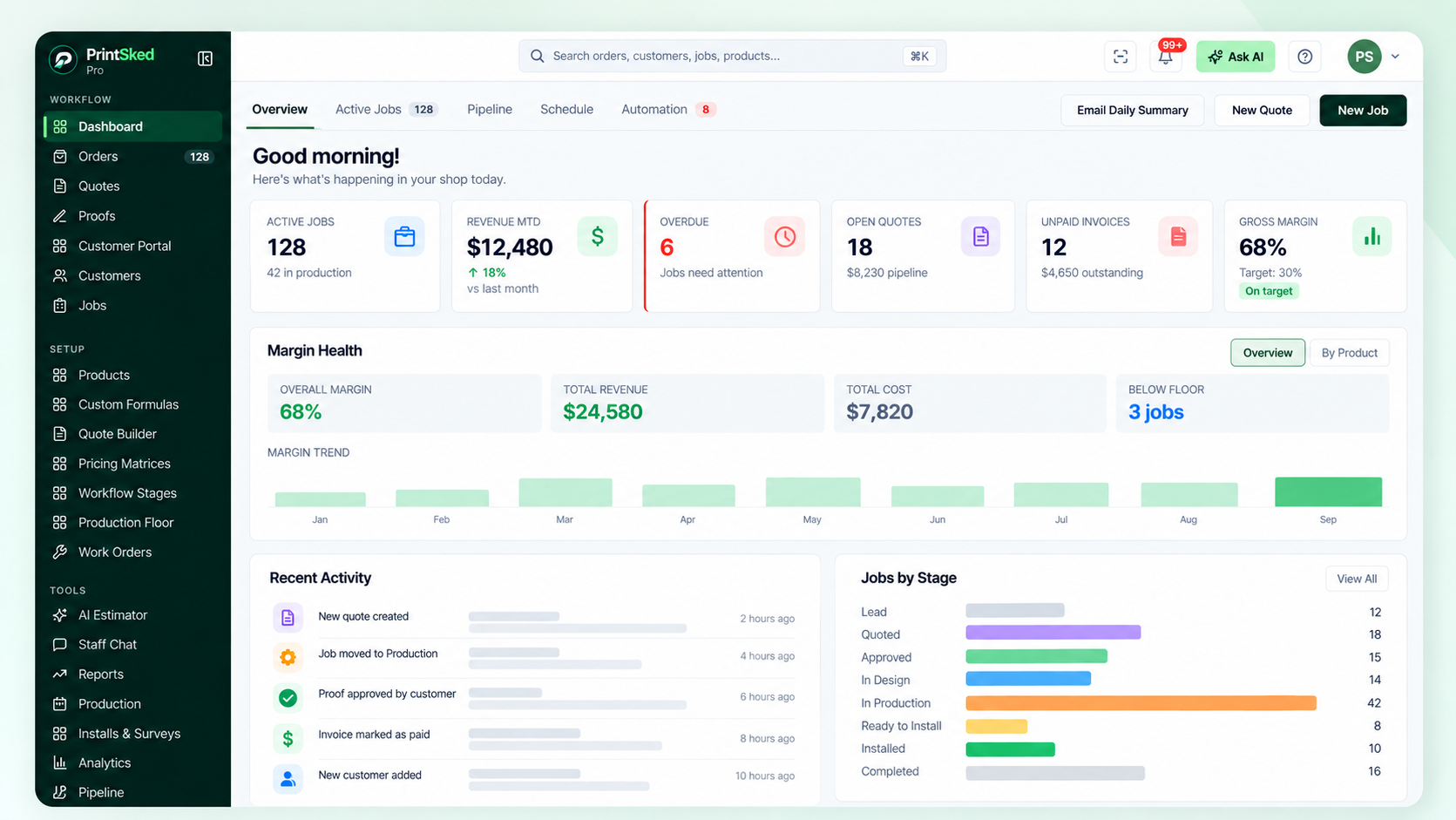
A shop dashboard brings active jobs, quotes, invoices, margins and work requiring attention into one operational view.
When does a sign shop need management software?
There is no exact employee count or revenue level at which a shop suddenly needs software. The better signal is operational complexity.
If the owner can keep every active job in their head and a shared spreadsheet gives the team enough visibility, a larger system may add more process than value. As the number of jobs, employees, departments, machines, customers, and installations increases, that changes.
Common warning signs include repeatedly entering the same customer or job information, missing changes between quote and production, asking production for job status, losing track of proof approvals, difficulty scheduling machines or installers, unclear job profitability, and maintaining multiple versions of the same spreadsheet.
If this sounds familiar, our guide on when a print shop outgrows spreadsheets goes deeper into that transition.
A useful test: if finding the current status of a job requires asking another person, checking several tools, or comparing multiple files, the shop has a visibility problem that management software should solve.
The core features sign shops should look for
Feature lists can become enormous, so it helps to evaluate software around the actual lifecycle of a sign job. A strong platform should help the shop capture the opportunity, price it, get approval, turn it into production work, schedule the resources, manage outside purchasing or installation, invoice it, and learn from the result.
CRM and sales pipeline
The CRM should keep customer contacts, addresses, notes, quotes, jobs, invoices, and activity connected. A sales pipeline adds visibility into opportunities before they become production work, making it easier to see what has been quoted, what is waiting for approval, and what is likely to enter the shop next.
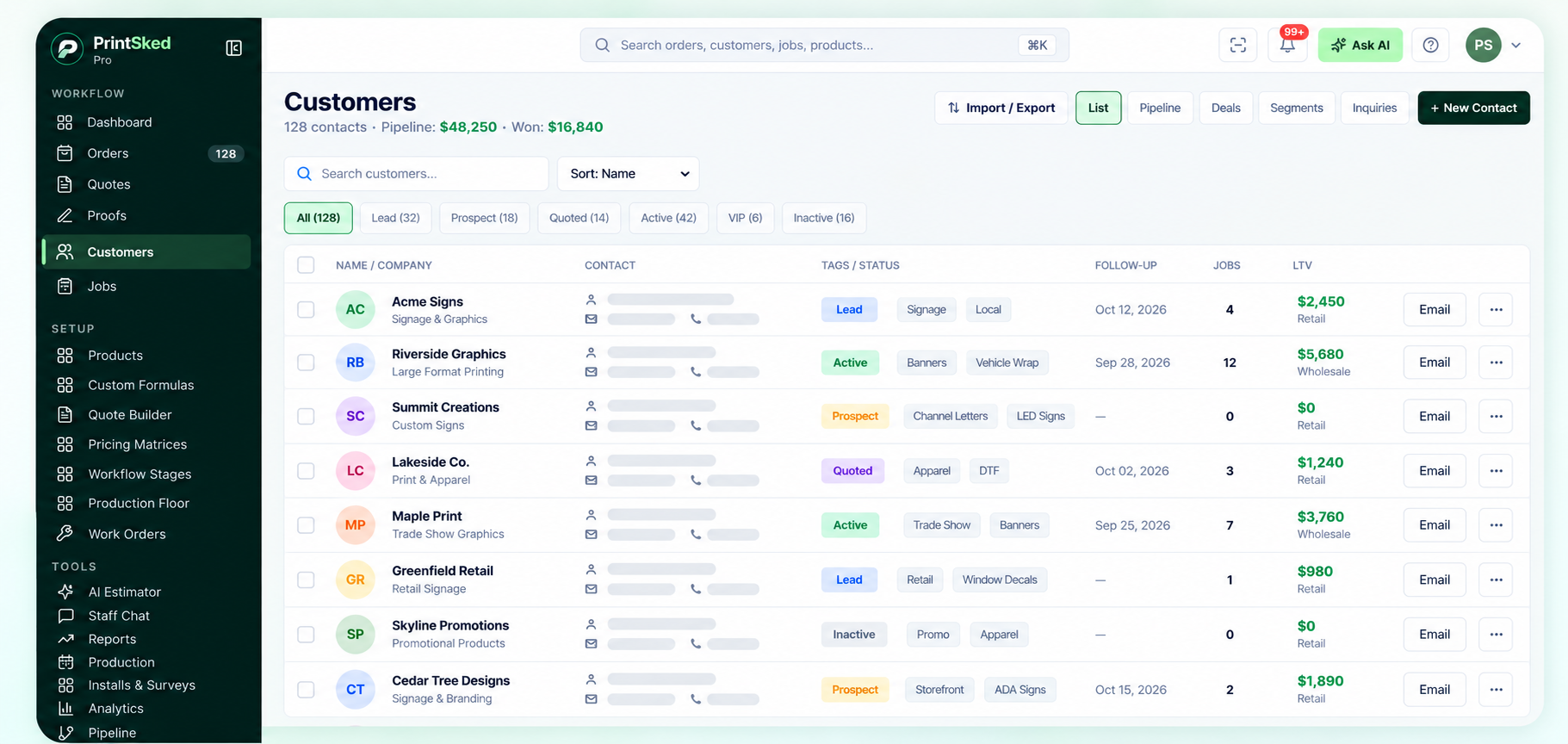
Customer records keep contacts, status, follow-up activity and job history organized in one place.
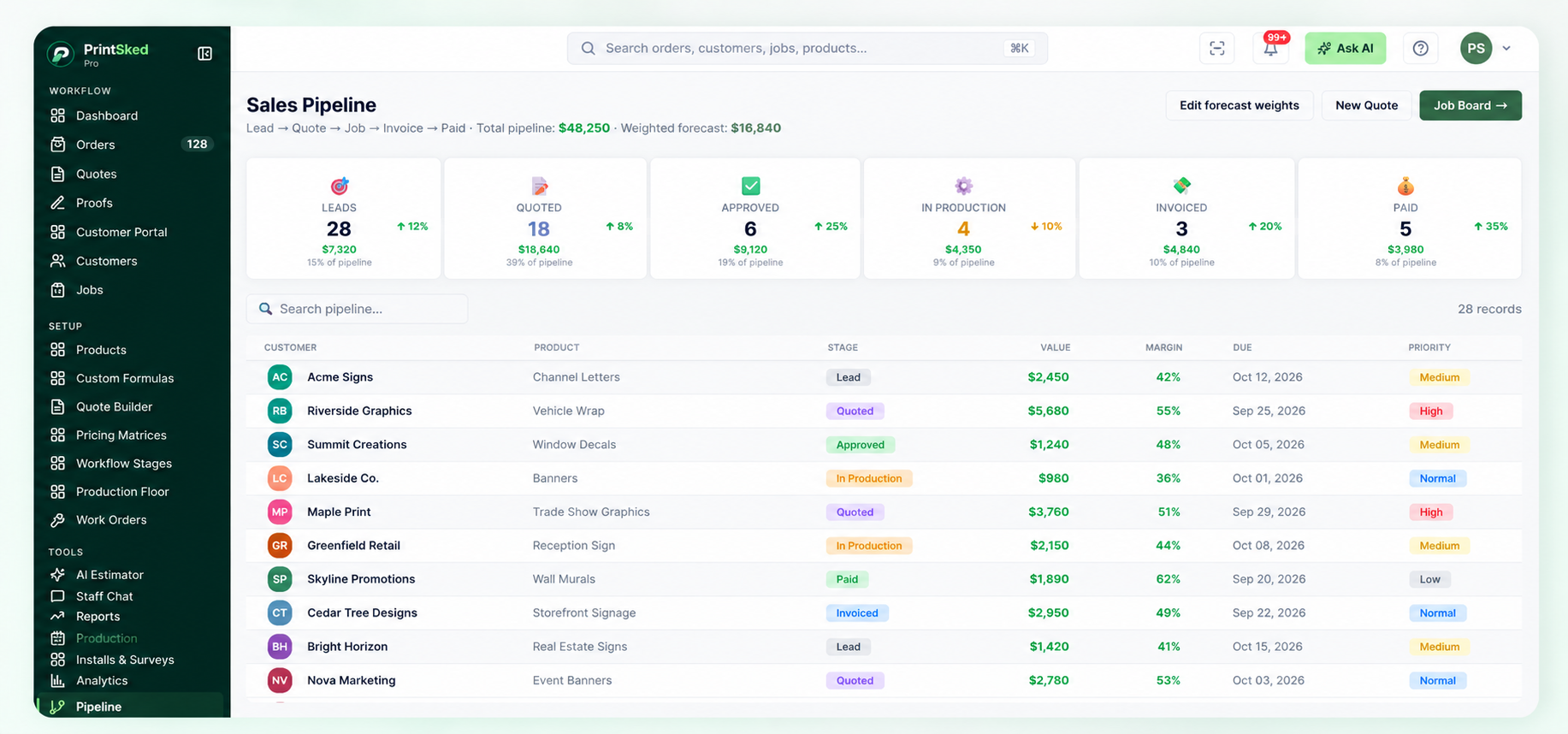
The sales pipeline connects leads, quotes, production, invoicing and payment stages so upcoming work stays visible.
Job management
Once work is approved, the job record should become the operational source of truth. That means due dates, priorities, assigned staff, customer PO numbers, design details, production instructions, shipping information, install details, artwork, and internal notes stay connected to the job.
For a practical breakdown of structuring the production side, see how to organize jobs in a busy sign shop.
Quoting and pricing should be repeatable
Estimating is one of the most important areas to standardize because small pricing inconsistencies compound quickly. A sign shop may price by square foot, linear foot, material usage, machine time, labor, quantity breaks, minimum charges, setup fees, markups, or combinations of those rules.
Good sign shop software should let the shop build pricing logic around the way it actually sells work rather than forcing every product into one generic calculation.
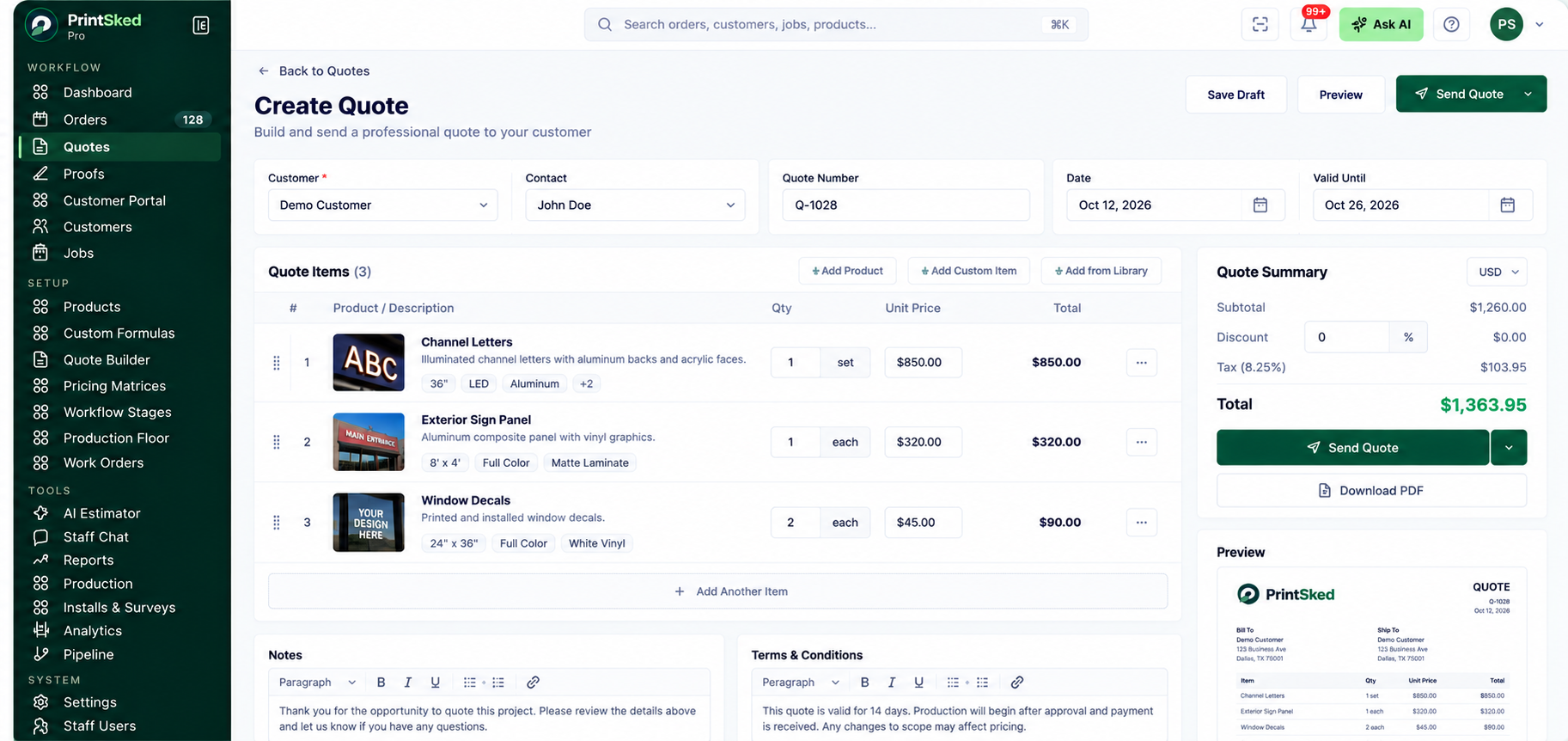
A connected quote workspace keeps customer details, products, pricing and job information together from the start.
Pricing matrices
Pricing matrices work well when price changes predictably based on dimensions, quantity, material, or another defined range. They can make repeat products faster to estimate while keeping salespeople aligned.
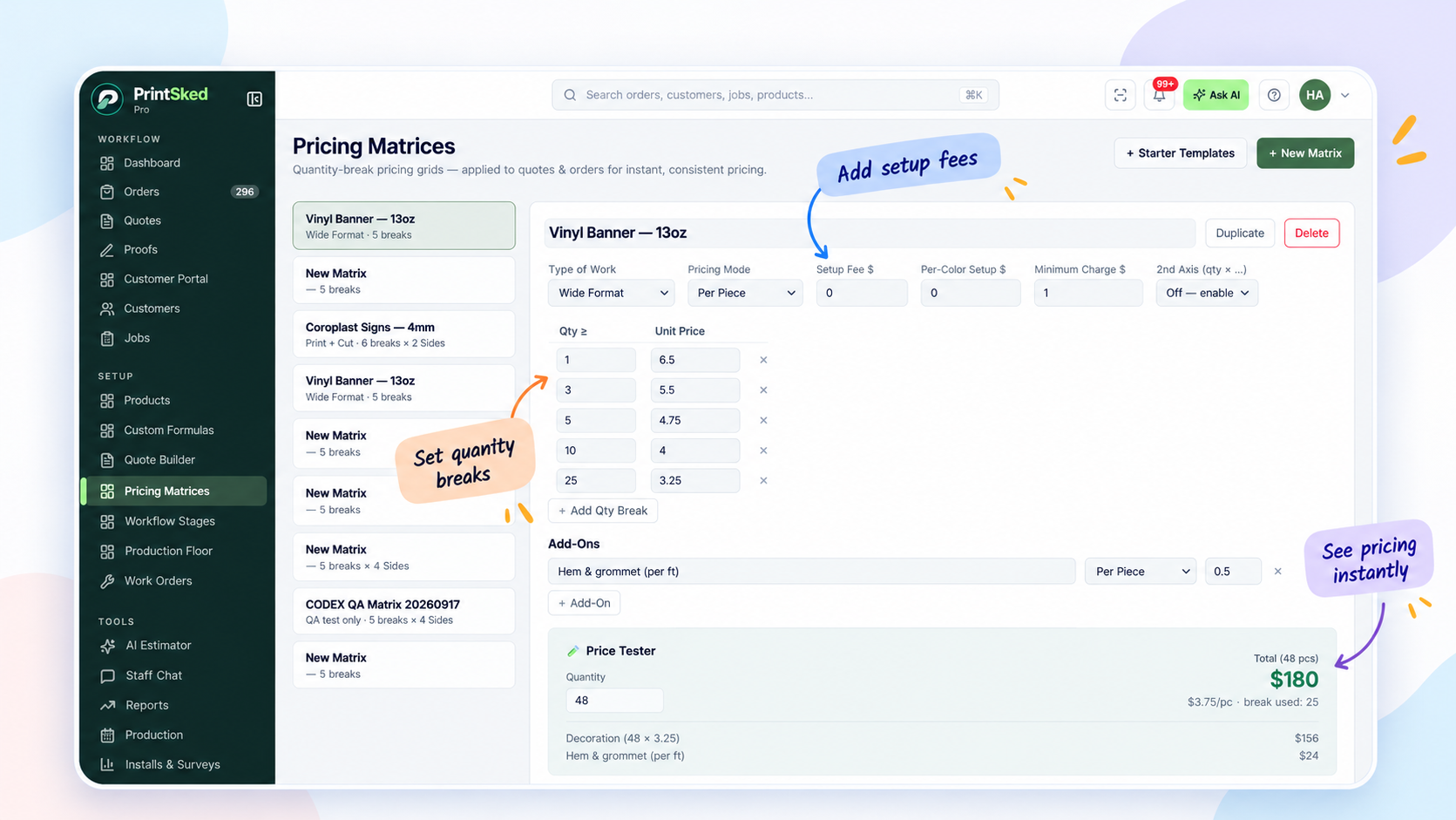
Pricing matrices help standardize repeatable pricing across common sign and print products.
Custom pricing formulas
Formula-based pricing is useful when jobs depend on several variables. Material cost, waste, labor, machine time, finishing, installation, markup, and minimum charges can all contribute to the final price.
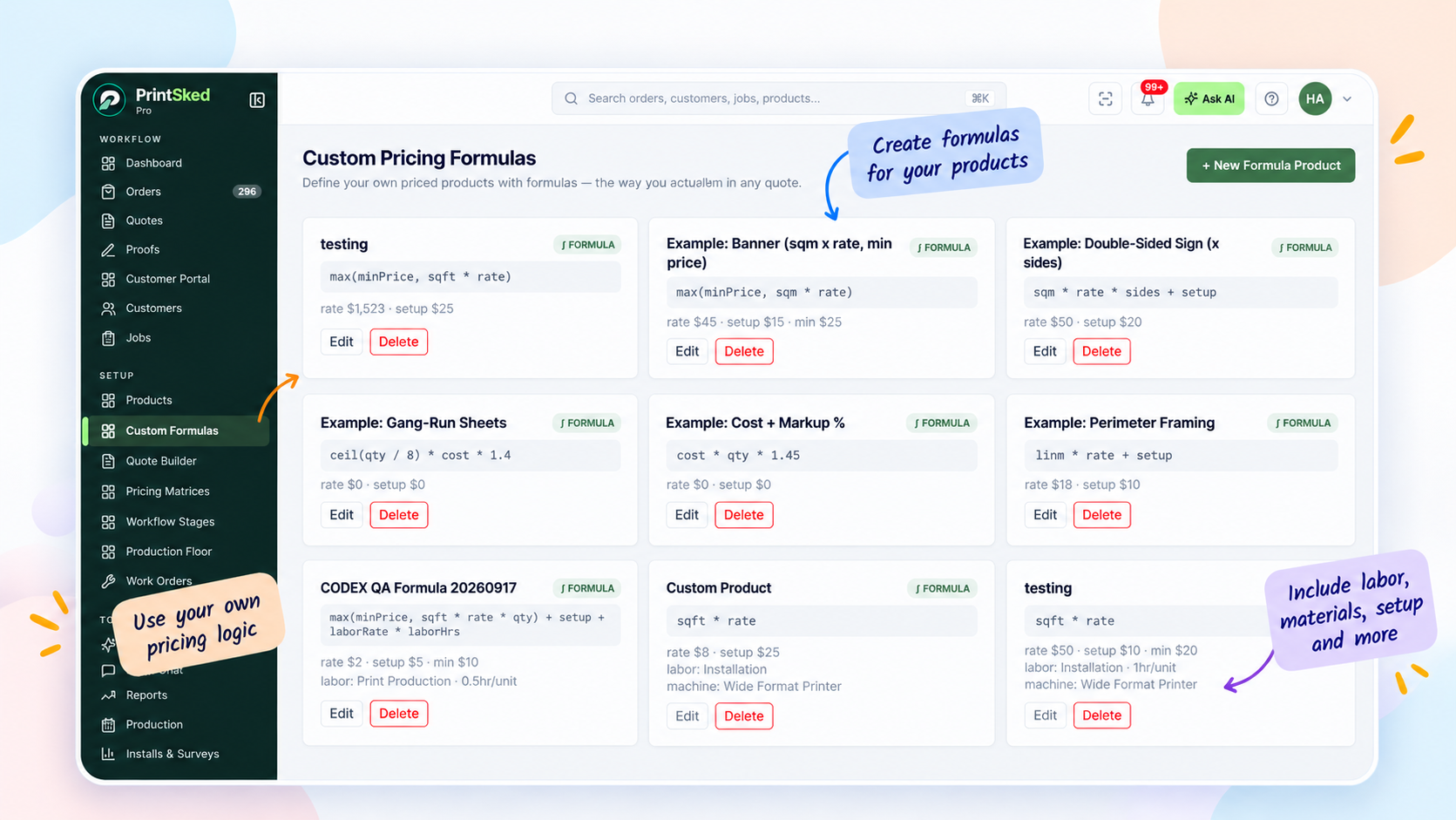
Custom formulas allow shops to model pricing around their own materials, measurements, labor and production rules.
The goal is not to make every quote automatic. It is to give estimators a reliable starting point so the same job is not priced completely differently depending on who creates the quote.
For more detail, read how to price print jobs for profit and how to create faster, more consistent print quotes.
Job workflows and production scheduling
A sign job does not end when the quote is accepted. That is where operational complexity starts.
Different products may need different paths. A banner may move through design, proof, print, finishing, and pickup. Channel letters can require design, permitting, fabrication, electrical work, paint, quality control, and installation. Vehicle wraps add measurement, print, lamination, preparation, and installation scheduling.
Software should let the shop define meaningful workflow stages and see jobs moving through them. The purpose is not to create more statuses. It is to make the next action obvious.
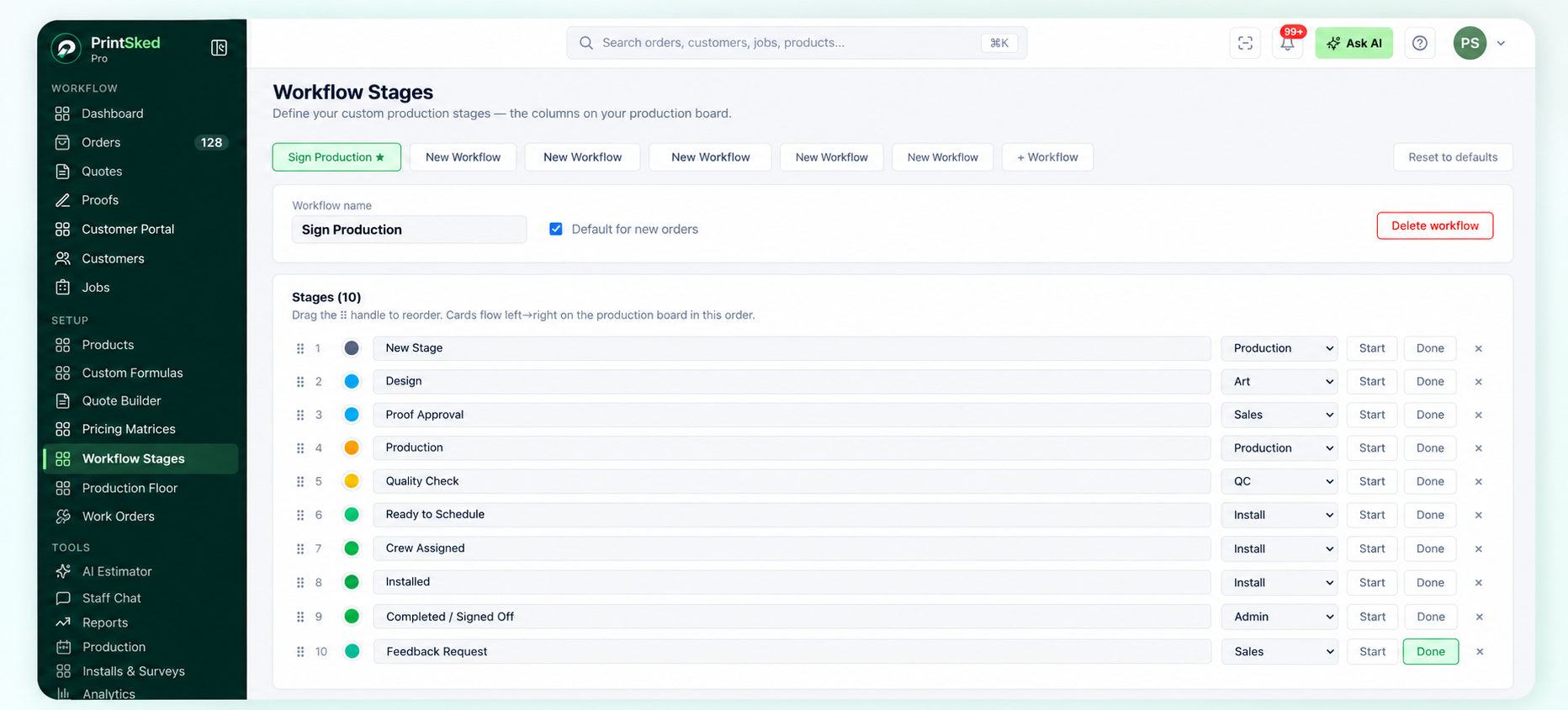
Custom workflow stages let a sign shop define the production path that matches its own departments and handoffs.
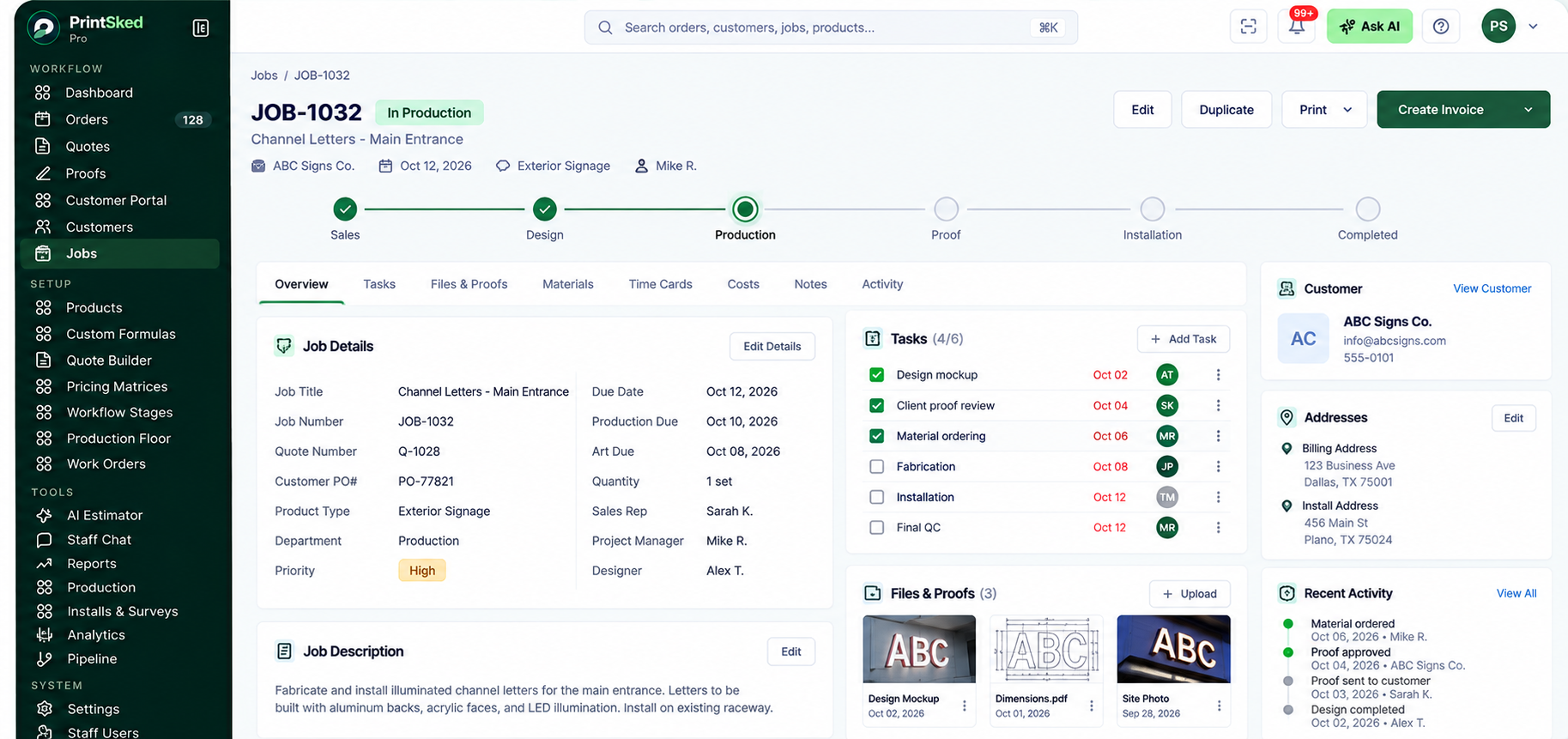
A visual job board makes stages, priorities and production progress easier for the whole shop to understand.
Production scheduling
The job board shows where work is in the process. A production schedule answers a different question: when will the work happen, and which resource will handle it?
Wide-format printers, flatbeds, routers, laminators, fabrication teams and install crews all have limited capacity. Scheduling work against those resources helps the shop identify overloaded days before due dates are missed.
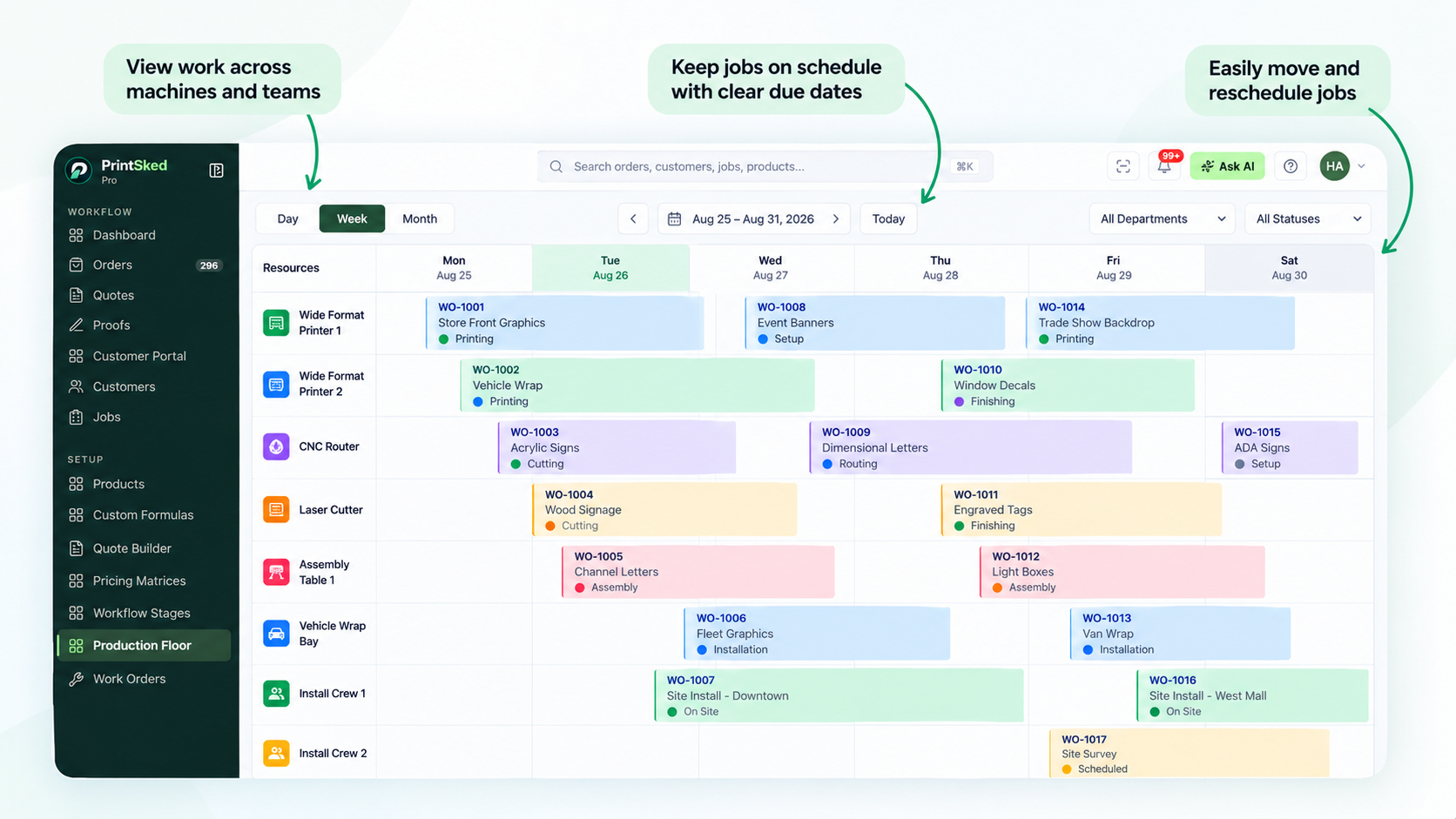
Production Floor helps schedule sign jobs across machines, departments and production capacity.
Work orders
Work orders turn a larger job into specific production instructions and tasks. They are especially useful when several people or departments contribute to the same job and each needs a clear set of actions.
A useful work order should stay linked to the job, show progress, support print tickets, and make ownership clear without requiring production staff to interpret the original sales conversation.
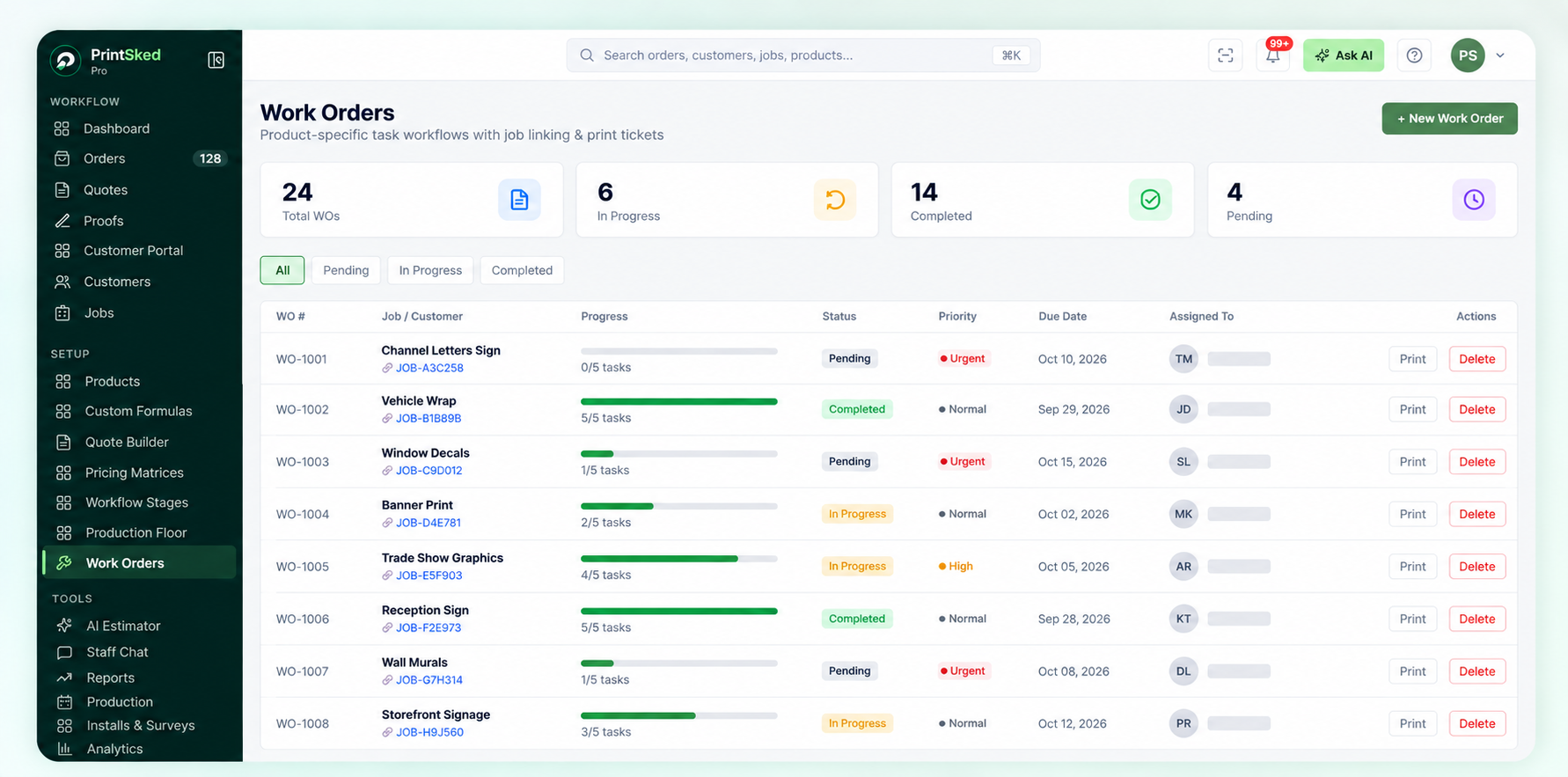
Work orders keep production tasks, progress and job links together so teams can execute the approved work clearly.
Artwork proofing and customer approvals
Proof approval is a small step with a large operational impact. If approval lives only in an email thread, production may not know which version is final or whether the customer has formally approved it.
Online proofing keeps the artwork, comments, revision history, and approval status connected to the job. Once the customer approves, the production team has a clear signal that the design can move forward.
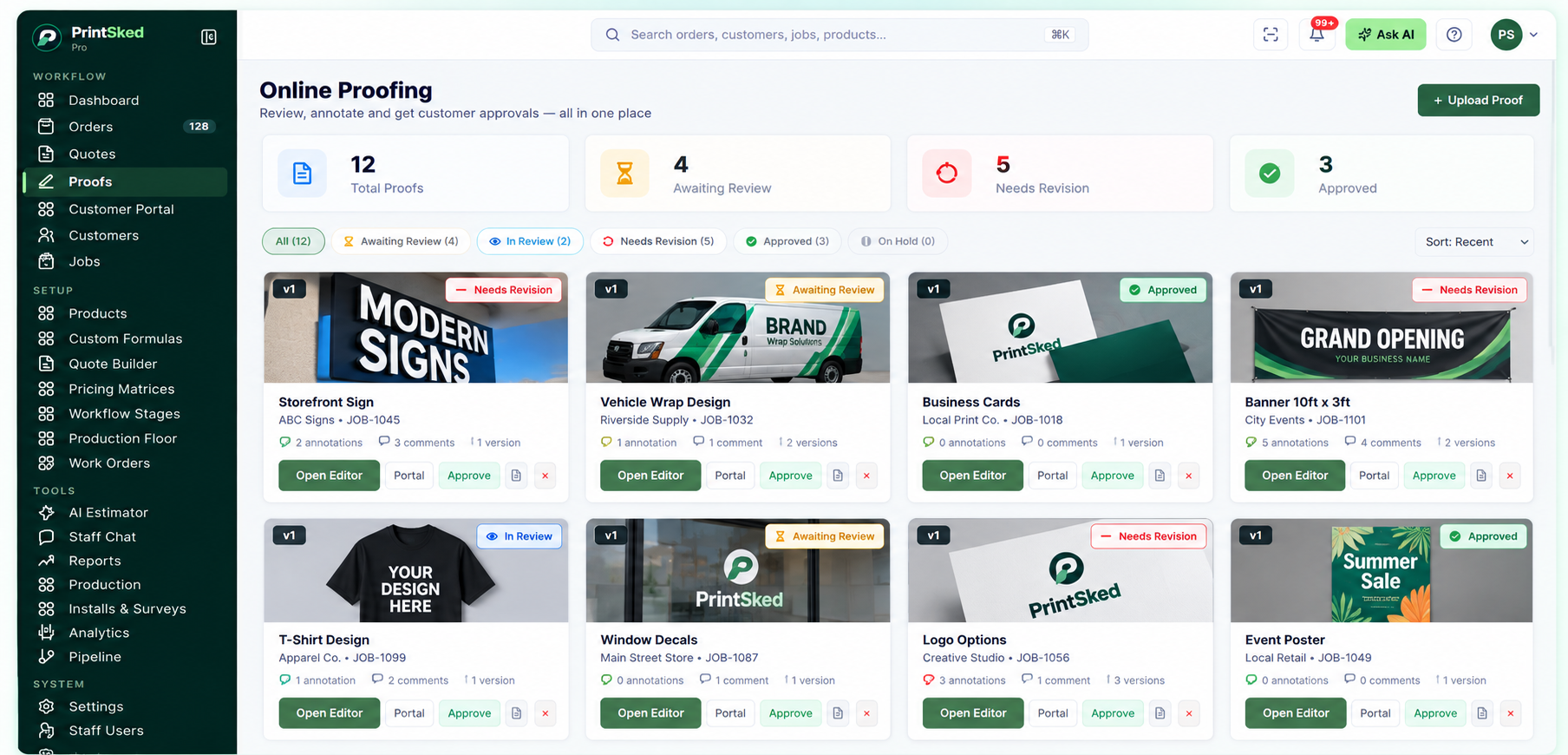
Online proofing keeps artwork review, revisions and approval status visible before production begins.
Track time, materials and actual job profitability
Quoting tells you what you expected a job to cost. Operational tracking tells you what actually happened.
This distinction matters because a job can look profitable on the invoice while consuming far more labor or material than estimated. If that difference is never measured, the same pricing mistake can repeat indefinitely.
Sign shop software should make it possible to record labor and materials against the job and compare actual results with the original quote.
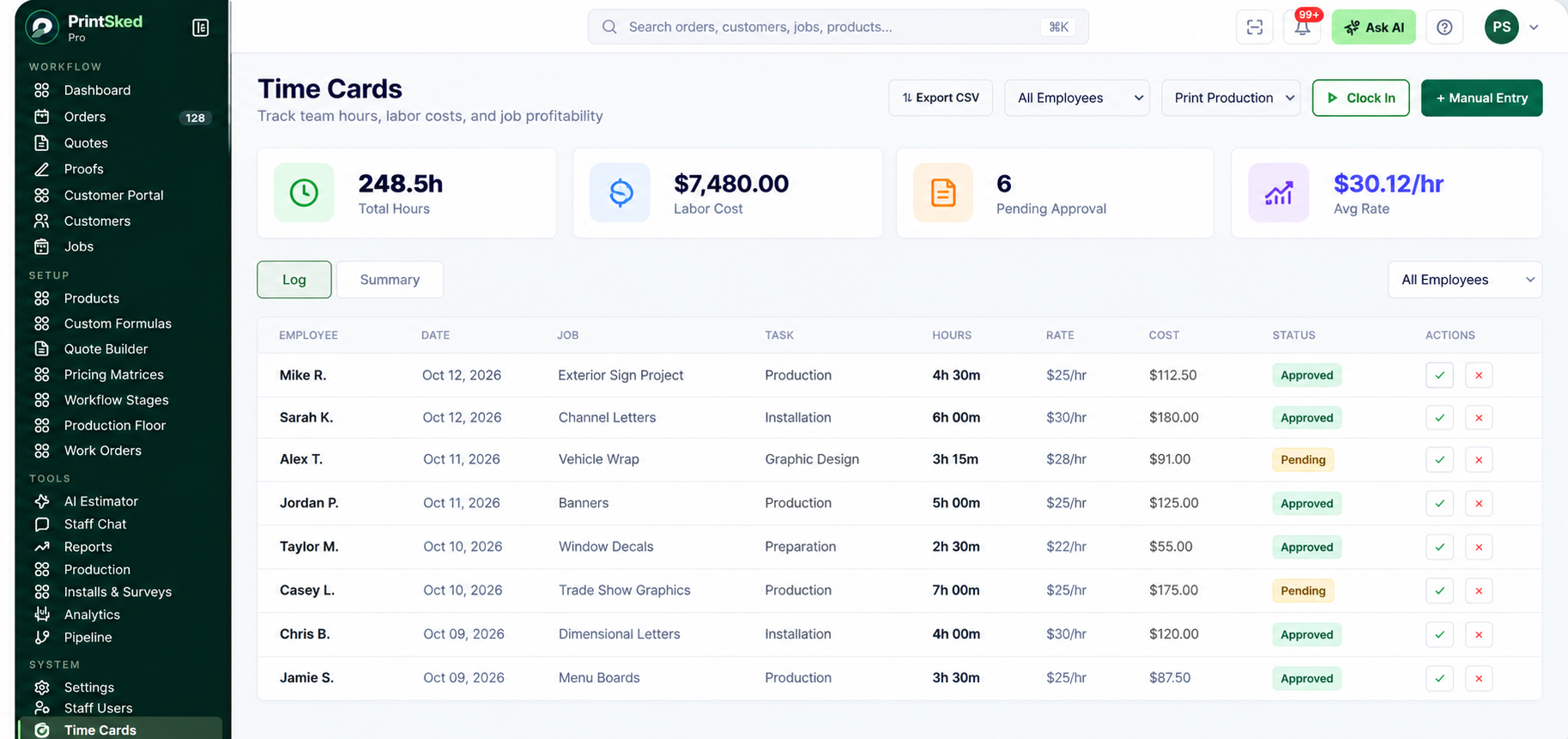
Time cards connect labor hours and costs to shop work so actual production effort can be measured.
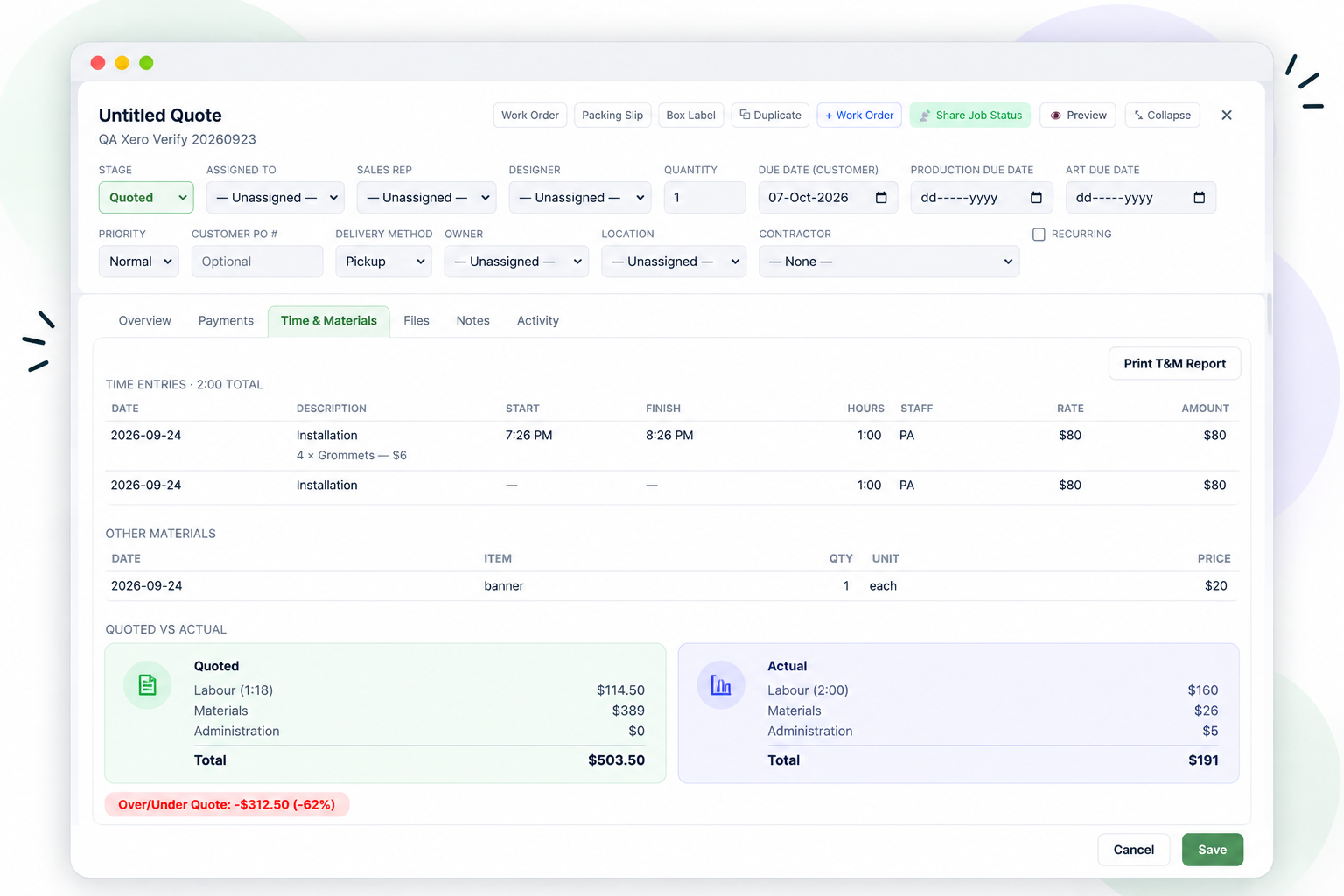
Quoted versus actual reporting helps sign shops see where labor and material costs differ from the estimate.
This data improves future pricing. If wraps consistently require more installation time than quoted, or a certain product has higher waste than expected, the estimator can adjust the pricing logic based on real production history.
Installs, surveys and field work
Installation is one of the areas where sign shops differ most from general print businesses. The job may require a site survey, permits, lift booking, crew scheduling, access instructions, customer coordination, photos, and final sign-off.
Those details should not live on a separate calendar with no connection to the job. Installation dates, crew assignments, site information, and costs should remain attached to the same record used by sales and production.
For shops doing vehicle graphics, exterior signage, electrical signs, dimensional letters, or large projects, this connection becomes increasingly important as field work grows.
Purchasing, suppliers and inventory
Production cannot stay on schedule if required materials are missing. Purchase orders and supplier records help connect buying decisions to upcoming work instead of relying on memory or last-minute checks.
Inventory is especially useful for frequently used materials such as vinyl, substrates, inks, blanks, hardware, and common consumables. Not every shop needs complex warehouse management, but the system should provide enough visibility to know what is available and what must be ordered.
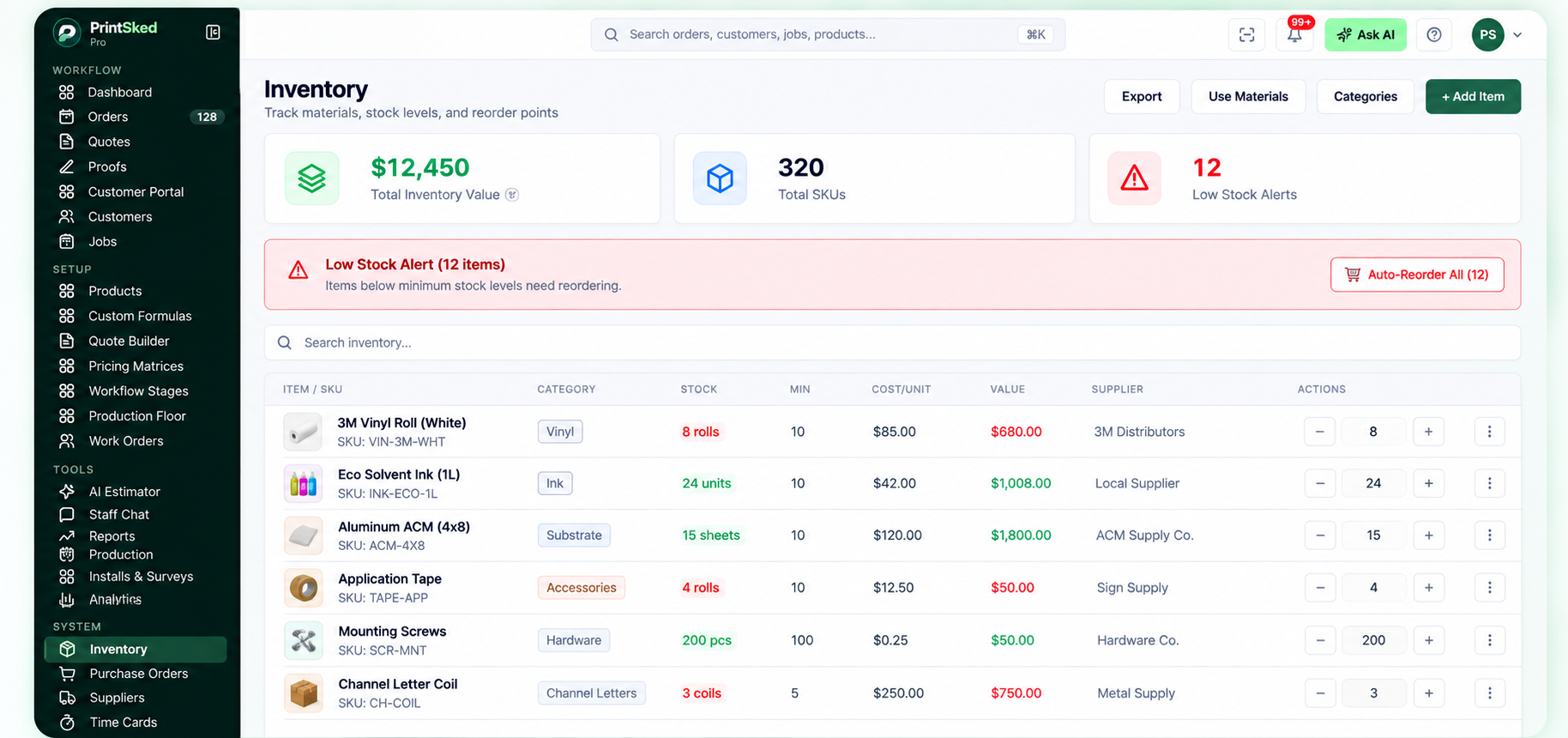
Inventory visibility helps shops track materials, stock levels and reorder points before shortages interrupt production.
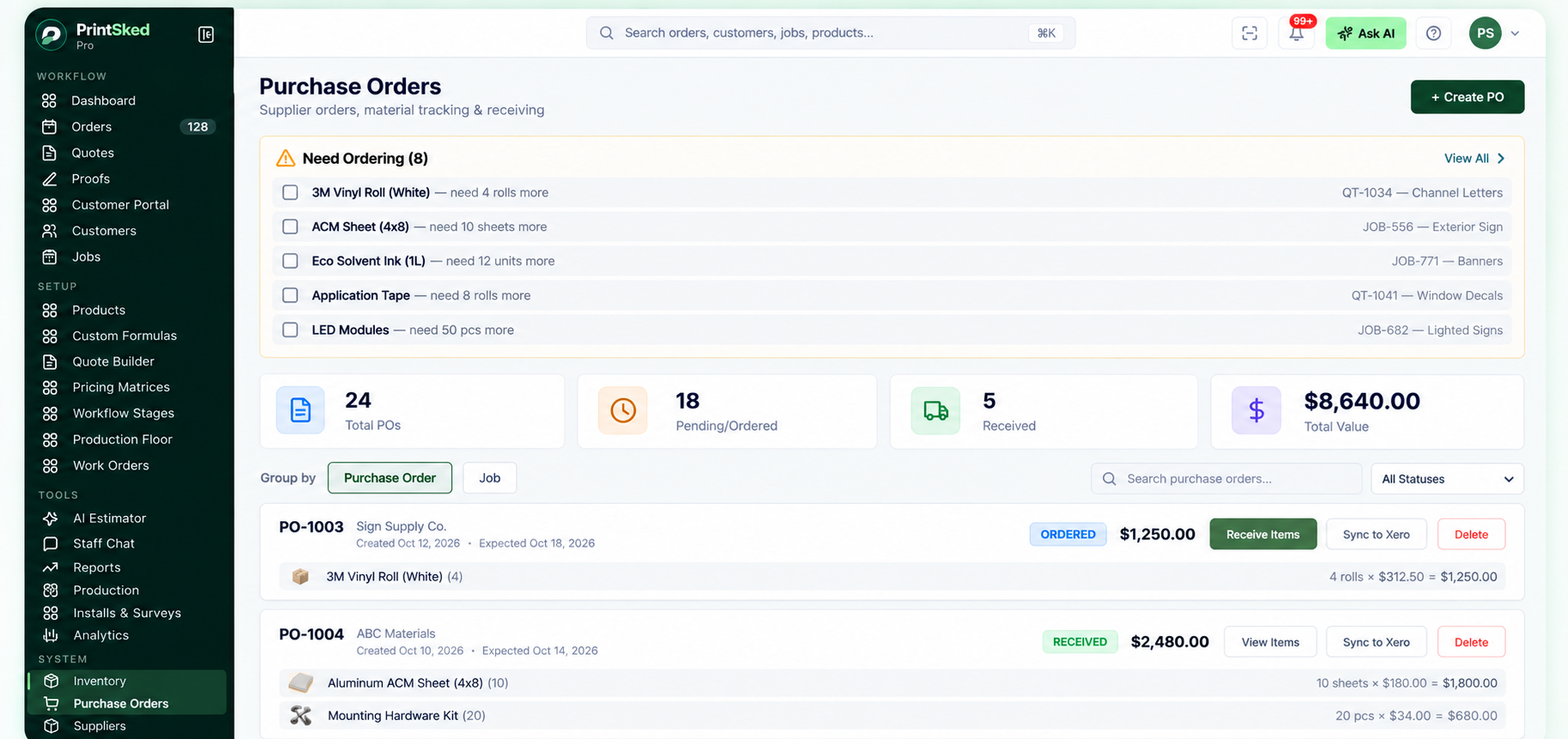
Purchase orders connect material requirements with ordering and receiving so production needs are easier to plan.
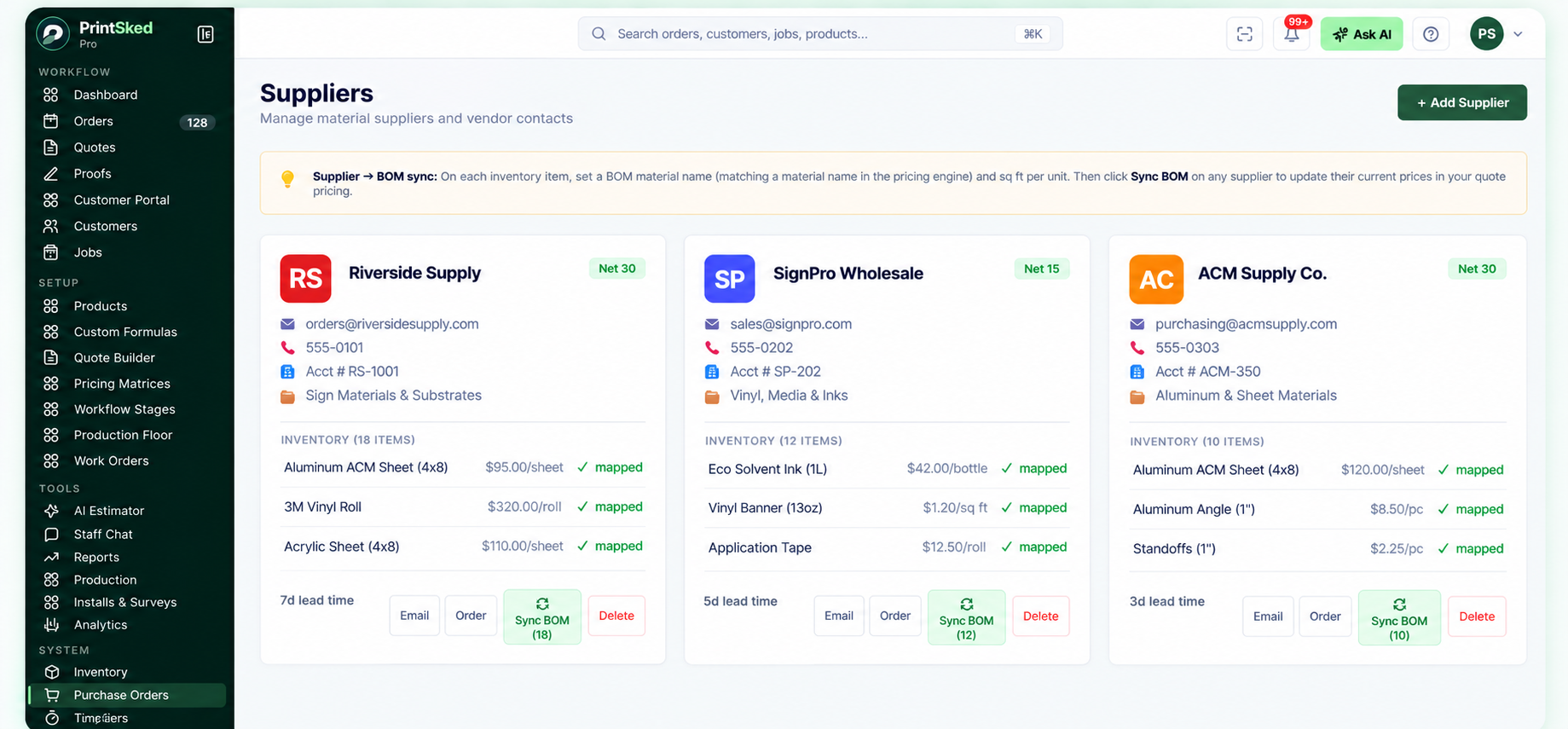
Supplier records keep vendor contacts, materials and purchasing information connected to shop operations.
Invoicing, payments and accounts receivable
Operational software should not make finance harder. Quotes that become jobs should carry the relevant commercial information forward into invoices rather than forcing staff to recreate it.
Payment status and accounts receivable visibility also matter to operations. A manager looking at the shop should be able to understand not only what is being produced, but what has been invoiced, what remains unpaid, and which customers require follow-up.
Integrations and accounting connections
No shop management system should try to replace every specialized tool. The more practical approach is to connect the operational platform with the services the business already depends on.
For example, PrintSked supports integrations including QuickBooks Online, Xero, Stripe, and Zapier, allowing shops to connect accounting, payments, and broader automation with the operational workflow.
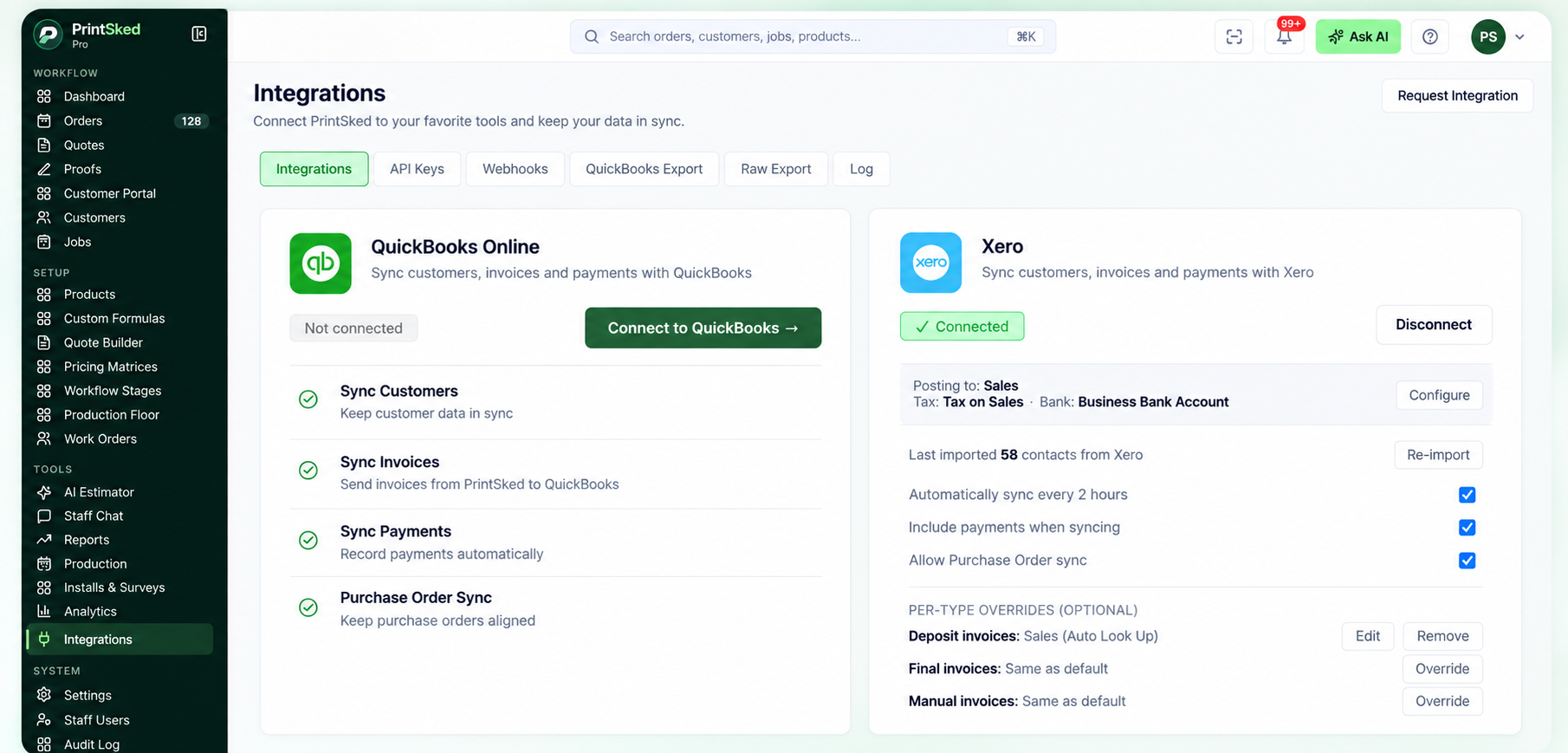
Integrations connect shop operations with accounting, payments and automation tools without rebuilding the same data manually.
When evaluating integrations, look beyond whether a logo appears on an integrations page. Ask what actually syncs, which direction data moves, how duplicates are handled, and which system remains the source of truth.
Reporting should help you run the shop
Reports are most valuable when they answer operational questions. Which jobs are overdue? What is the current pipeline? Which products generate strong margins? How much labor is being consumed? Which invoices are aging? Are estimators pricing consistently?
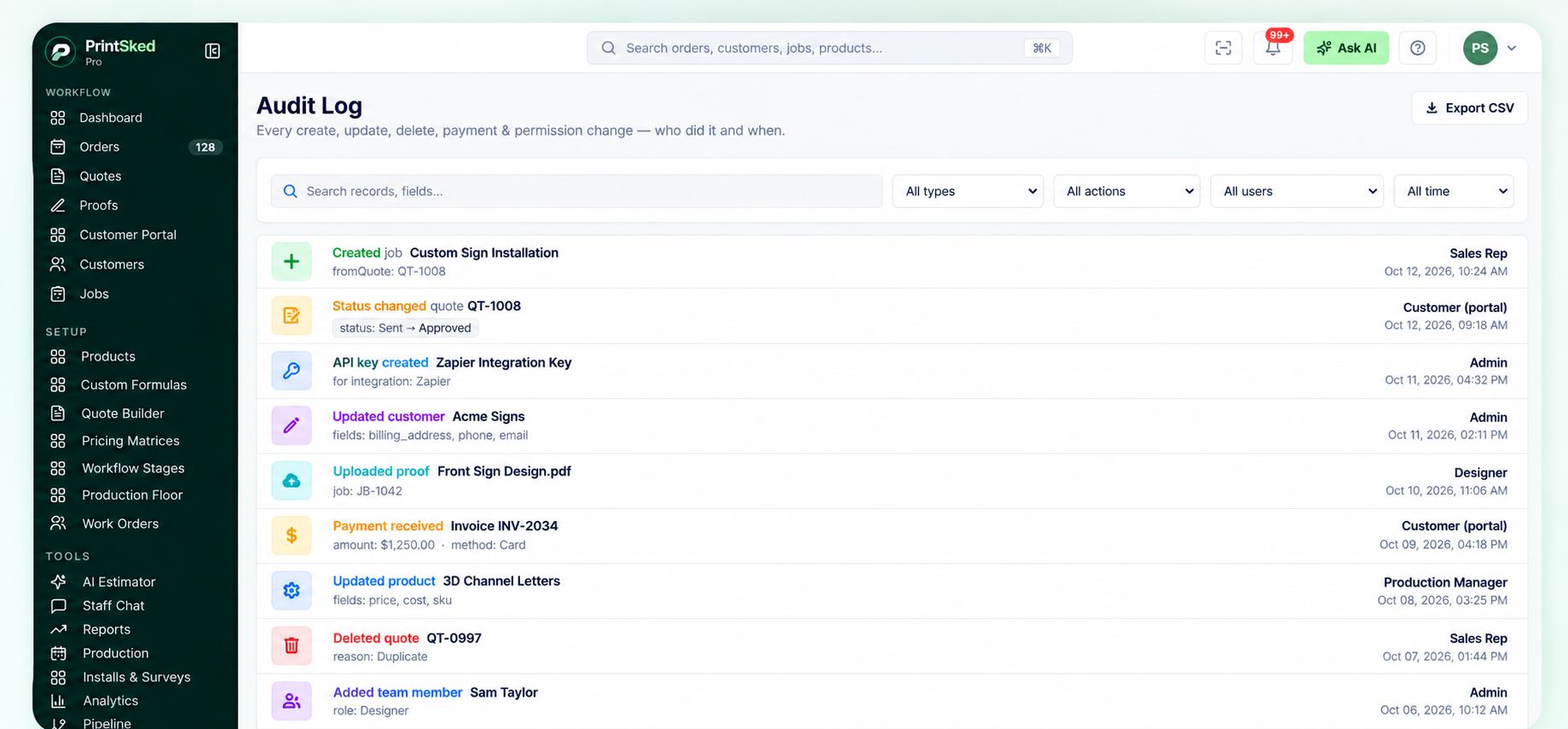
An audit log gives managers a record of important shop activity, status changes and user actions.
Because the underlying customer, quote, job, time, material, invoice, and payment data is connected, management software can produce these views without requiring someone to rebuild the numbers manually in a spreadsheet.
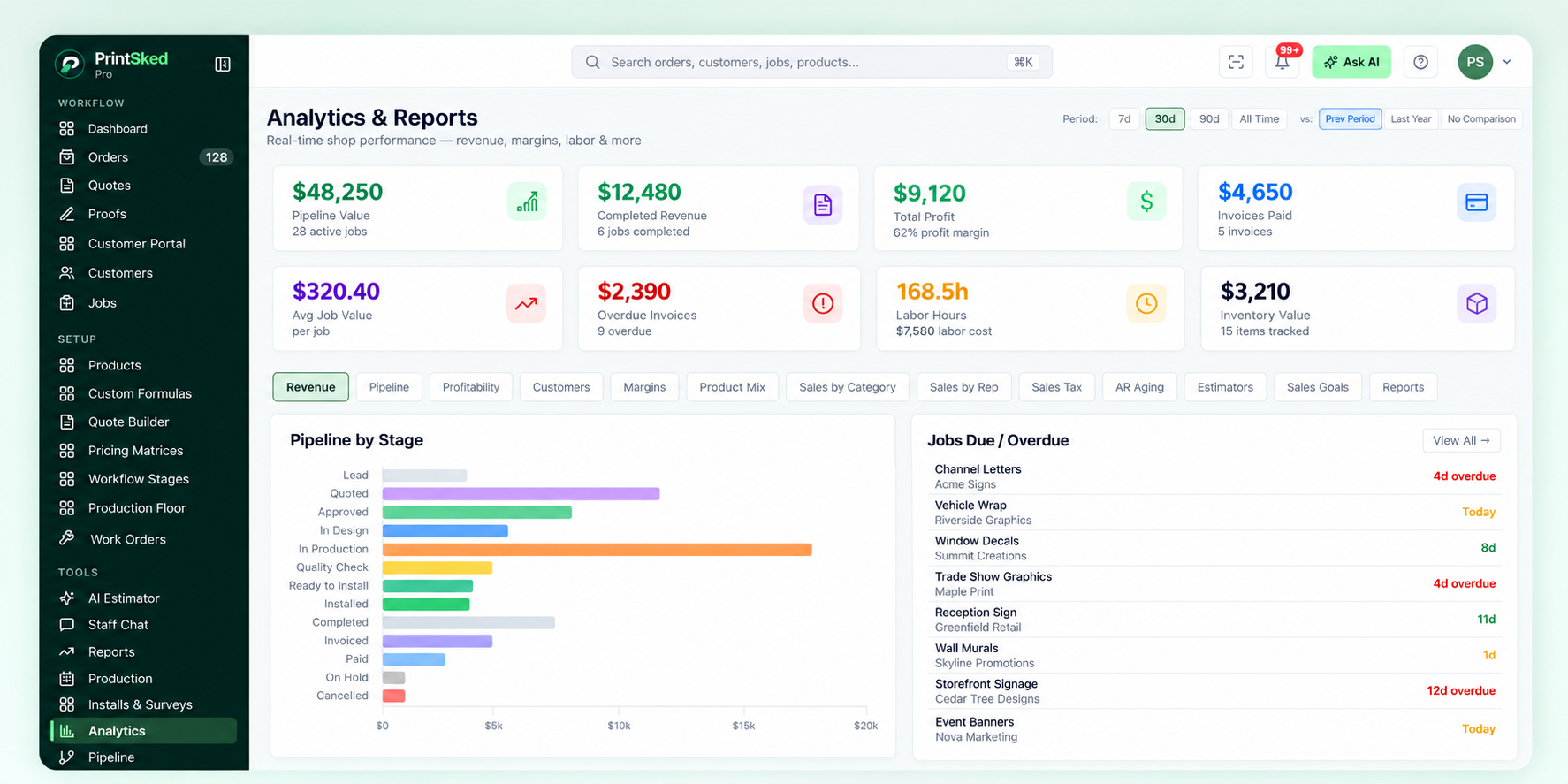
Connected analytics help managers review pipeline, profitability, labor, invoices, margins and jobs that need attention.
How to choose sign shop management software
The best software is not necessarily the platform with the longest feature list. A system only creates value when the team can use it consistently and it reflects the way work actually moves through the shop.
Questions to ask before choosing
- Can we configure workflows around our actual sign production process?
- Can our estimators reproduce the pricing methods we already use?
- Does an accepted quote flow naturally into job management?
- Can customers review and approve proofs without creating confusion?
- Can production see priorities, due dates and required details without asking sales?
- Can we schedule machines, departments or crews?
- Can we compare quoted costs with actual labor and materials?
- Does it support installation and survey workflows?
- Can purchasing and inventory connect to production needs?
- Does it integrate with our accounting, payment and automation tools?
- Can we control staff roles and access?
- Can we get our existing customers, products and jobs into the system without months of setup?
Do not evaluate software only from the demo
A polished demo can make any workflow look simple. Test the system with a few real jobs from your own shop. Build a quote using your pricing. Send a proof. Move the job through production. Create a work order. Schedule an install. Record time and materials. Then see whether the resulting information is actually useful.
This reveals friction much faster than reviewing a checklist.
Implementation matters as much as the software
Moving to a new system works best when the shop standardizes a few important processes first. Decide what your workflow stages mean, which job fields are required, how products should be priced, who owns each handoff, and which information must be captured before production begins.
Start with the core workflow instead of configuring every possible feature on day one. Get customers, quoting, jobs, and production working consistently. Then expand into purchasing, inventory, deeper reporting, automation, and other areas.
The goal is not to digitize every old habit. It is to remove duplicate work and give the team a clearer operating system.
Sign shop management software should make the shop easier to understand
The strongest benefit of a connected system is visibility. Sales can see what is happening in production. Production can see what the customer approved. Managers can see workload and profitability. Installers can see the details they need. Accounting receives cleaner information without rebuilding the job from scratch.
That shared view becomes more valuable as the shop grows.
Whether you are replacing spreadsheets or moving away from another shop management platform, focus on the complete workflow rather than individual features. The right system should help your team quote accurately, move jobs predictably, schedule work realistically, protect margins, and understand what needs attention next.
Run your sign shop from one connected system.
PrintSked brings quoting, CRM, proofs, jobs, production scheduling, work orders, installs, purchasing, invoicing, profitability and reporting together for print and sign shops.
Start free trialBook a demo